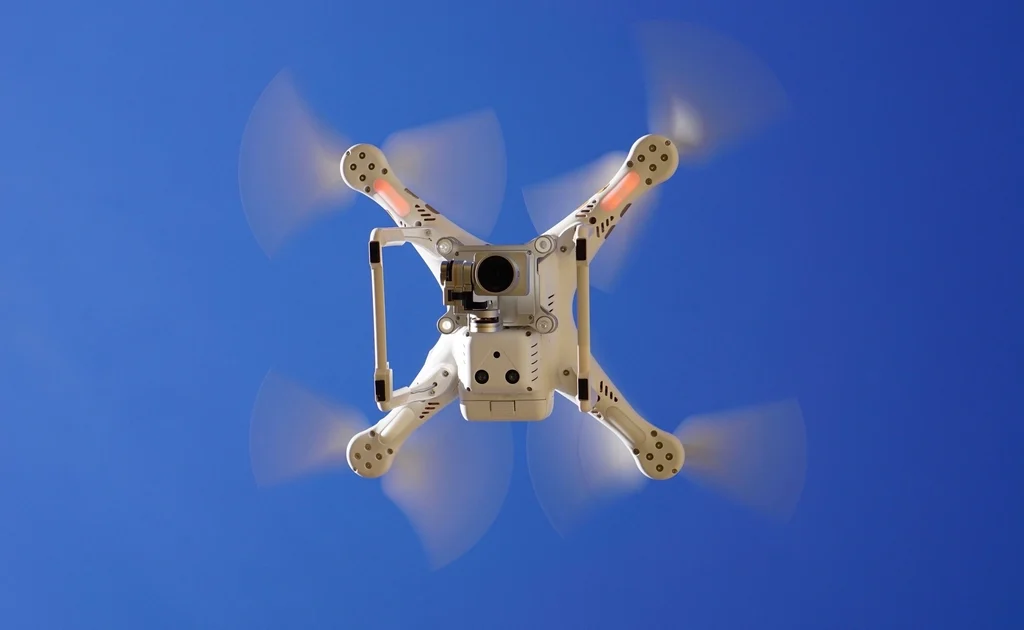
Quick Verdict: Choosing a drone comes down to five decisions — budget, weight class, camera quality, skill level, and how you plan to use it. Get these right and you avoid the single most common mistake: buying a drone built for a use case you don’t have. This guide walks every decision point clearly. For our curated shortlist of the top-rated drones across every category, see the Best Drones guide.
Start With Your Use Case
Before comparing specs, answer one question: what will this drone do most of the time? Recreational pilots flying at parks need something different from travel photographers, FPV racers, or professional videographers. Each use case tilts the decision differently.
- Casual hobby flying / first drone: Prioritize durability, beginner flight modes, and a sub-250g design so you avoid FAA registration and Remote ID hardware requirements in most situations.
- Travel photography and video: Compact foldable design and a capable camera sensor matter most. The DJI Mini 4 Pro (249 g, 4K/60fps, ~$759) is the benchmark here.
- Serious aerial photography: A larger 1-inch CMOS sensor — as found on the DJI Air 3S (~$1,099) — delivers meaningfully better dynamic range and low-light performance.
- FPV freestyle or racing: Look at purpose-built FPV quads with a 5-inch or 3.5-inch frame. Camera quality takes a back seat to responsiveness and crash resistance.
- Commercial work (real estate, mapping, inspection): You’ll need an FAA Part 107 Remote Pilot Certificate. The drone spec requirements flow from the job type.
The 250g Weight Rule: Why It Matters
In the United States, drones weighing more than 250 grams (0.55 lbs) require FAA registration ($5, valid 3 years) and must broadcast Remote ID. Drones at or under 249 grams — like the DJI Mini 4 Pro and DJI Mini 3 Pro — sit just below this threshold, avoiding those requirements when flown recreationally in most airspace. This is not a minor technicality: sub-250g models are genuinely easier to fly legally in parks, neighborhoods, and while traveling. If you’re a beginner, starting below 250g almost always makes sense.
Drone Comparison Table: Key Models by Category
| Model | Weight | Camera | Flight Time | Approx. Price | Best For |
|---|---|---|---|---|---|
| DJI Mini 4 Pro | 249 g | 4K/60fps HDR, 1/1.3″ CMOS | 34 min (standard) | ~$759 | Beginners, travel |
| DJI Mini 3 Pro | 249 g | 4K/60fps, 1/1.3″ CMOS | 34 min | ~$579 | Budget travel photo |
| DJI Air 3S | 724 g | 4K/120fps, 1″ CMOS | 45 min | ~$1,099 | Serious photography |
| DJI Air 3 | 720 g | 4K/60fps HDR, dual 1/1.3″ CMOS | 46 min | ~$1,099 | Enthusiast dual-camera |
| Holy Stone HS720E | <250 g | 4K, 3-axis gimbal | ~26 min | ~$300 | Budget beginner |
| Autel EVO Lite+ | ~835 g | 6K, 1″ CMOS | ~40 min | ~$1,249 | Advanced photo/video |
Camera Quality: What the Specs Actually Mean
For most drone buyers, the camera is the primary deliverable. Understanding a few key specs prevents overspending — or buying a camera that won’t meet your needs.
Sensor Size
Larger sensors capture more light and produce better results in challenging conditions. The dominant sensor sizes in consumer drones: 1/2.3″ (budget entry), 1/1.3″ (mid-range standard — found in the DJI Mini 4 Pro and Mini 3 Pro), and 1-inch (enthusiast/pro — found in the DJI Air 3S and Autel EVO Lite+). For daytime outdoor shooting in good light, a 1/1.3″ sensor is excellent. For golden-hour, overcast, or twilight flying, stepping up to a 1-inch sensor is worth the extra cost.
Video Resolution and Frame Rate
4K at 30fps is the practical standard for most uses. 4K/60fps allows smooth slow-motion at half speed. 4K/120fps (available on the DJI Air 3S) enables dramatic 4x slow-motion. For travel content and social media, 4K/60fps is the sweet spot. For serious cinematic work, higher frame rates and log color profiles give more flexibility in post.
Gimbal Stabilization
A 3-axis gimbal is essential for smooth video. Nearly all mid-range and premium drones include one. Budget drones may use electronic stabilization (EIS) instead, which is less effective — especially in wind.
Range and Transmission Systems
DJI’s O3 and O4 transmission systems deliver a 12–20 km theoretical range with strong interference resistance. In practice — between trees, buildings, and crowded radio environments — real-world range is shorter, but O3/O4 drones are noticeably more reliable than cheaper Wi-Fi-based systems. If you plan to fly in urban areas or at large events where radio congestion is high, a DJI drone with OcuSync or O3/O4 is the reliable choice.
Obstacle Avoidance: Tiers Explained
- No avoidance: Most budget drones. You fly, you manage obstacles. Fine for open fields.
- Forward-only sensing: Entry-level mid-range. Stops before crashing forward, blind on other sides.
- Omnidirectional sensing: The DJI Mini 4 Pro, Air 3, and Air 3S all feature this. Sensors on all sides detect and avoid obstacles in any direction. A meaningful safety net for beginners and for flying near trees or buildings.
Flight Time: What’s Realistic
Advertised flight times are measured in ideal lab conditions — no wind, hovering at low altitude, at moderate temperature. Real-world flight times typically run 15–25% shorter. Plan your flights around 75–80% of the rated time and carry spare batteries. For any drone you buy seriously, a second battery is almost always worth the investment. See our full breakdown in Drone Battery & Flight Time Explained.
Key Buying Decisions Summarized
Budget Under $400
Holy Stone HS720E, Potensic Atom SE. You get GPS, return-to-home, and 4K video at this price. Expect shorter flight times and less refined image quality. Acceptable for learning and casual flying.
Budget $500–$800 (Sweet Spot)
DJI Mini 3 Pro (~$579) and DJI Mini 4 Pro (~$759) dominate this bracket. Sub-250g, excellent cameras, omnidirectional avoidance (Mini 4 Pro), and mature software ecosystems. For most people, this is the right tier.
Budget $1,000–$1,300 (Enthusiast)
DJI Air 3S (~$1,099) delivers the 1-inch sensor, 45-minute flight time, and dual-camera system. Autel EVO Lite+ (~$1,249) offers 6K and a competitive 1-inch CMOS. These make sense for content creators and advanced hobbyists who have outgrown the Mini series.
Do You Need a License?
For recreational flying: no license, but you must pass the free FAA TRUST test and follow FAA recreational rules. For any commercial use — selling photos, real estate video, paid work of any kind — you need the FAA Part 107 Remote Pilot Certificate. See our full guide: Do You Need a License to Fly a Drone?
Frequently Asked Questions
What drone should an absolute beginner buy in 2026?
The DJI Mini 4 Pro is the most recommended first drone for people who want to take it seriously. If budget is tight, the DJI Mini 3 Pro or Holy Stone HS720E are solid alternatives. All three are manageable for beginners.
Is a sub-250g drone worth it for regulatory reasons?
Yes — in the US, sub-250g drones flown recreationally avoid the FAA registration and Remote ID broadcast requirements. This makes them simpler to fly legally in more locations. The DJI Mini 4 Pro at 249 grams hits this threshold while offering pro-level camera quality.
How much should I budget for accessories?
At minimum, budget for one extra battery ($50–$130 depending on model), ND filters if you’re serious about video ($30–$80), and a carry case. The DJI Fly More Combos bundle extra batteries and accessories at a discount over buying separately.
Can I fly a drone anywhere?
No. Drones are prohibited near airports, over people, over moving vehicles, and in many controlled airspace areas without authorization. Use the FAA’s B4UFLY app or AirMap to check airspace before flying. See Drone Laws & Registration in the US for a full breakdown.
What’s the difference between recreational and commercial flying?
Recreational flying is for personal enjoyment with no compensation involved. Commercial flying — including any situation where you receive payment, or fly for a business purpose — requires the FAA Part 107 Remote Pilot Certificate. The line is not just direct payment; if a business benefits from the footage, it’s commercial.