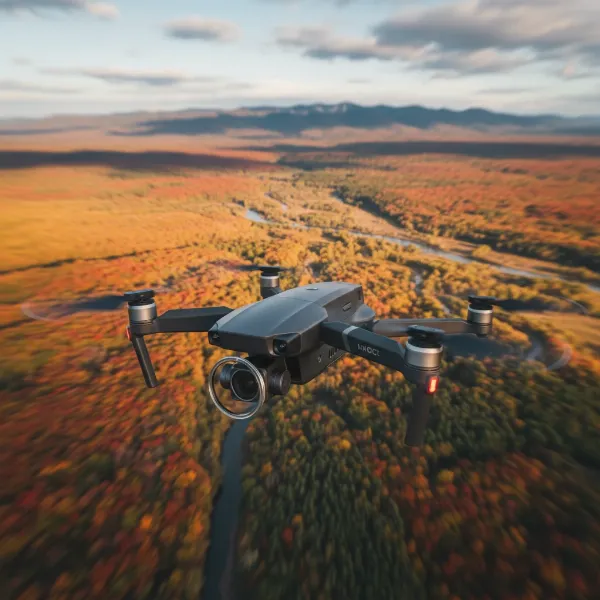
Have you ever experienced your drone drifting unexpectedly, struggling to hold a steady position, or simply not responding as precisely as it should? These frustrating issues often stem from uncalibrated or poorly calibrated internal sensors. Understanding and properly calibrating your drone’s Compass and Inertial Measurement Unit (IMU) is paramount for ensuring stable, safe, and precise flights. This comprehensive guide will demystify these critical processes, offering clear, actionable steps to keep your drone performing at its peak.
Understanding Your Drone’s Navigation Systems: Compass and IMU
Before diving into calibration, let’s explore what these two vital components do for your drone. They are the unseen heroes working tirelessly to maintain its position and orientation in the sky.
The Drone Compass: Your Aerial Navigator
|
Our Picks for the Best Drone in 2026
As an Amazon Associate I earn from qualifying purchases.
|
||
| Num | Product | Action |
|---|---|---|
| 1 | DJI Mini 4K, Drone with 4K UHD Camera for Adults, Under 249 g, 3-Axis Gimbal Stabilization, 10km Video Transmission, Auto Return, Wind Resistance, 1 Battery for 31-Min Max Flight Time, Intelligent |

|
| 2 | DJI Mini 4K Camera Drone Combo, Drone with 4K UHD Camera for Adults, Under 249 g, 3-Axis Gimbal Stabilization, 10km Video Transmission, Auto Return, 2 Batteries for 62-Min Max Flight Time, QuickShots |
|
| 3 | DJI Mini 3 Fly More Combo (DJI RC), Drones with Camera for Adults 4K, 3 Batteries for 114-min Flight Time, Vertical Shooting, 32800ft (10km) Video Transmission, Lightweight Mini Drone for Beginners |
|
| 4 | Drone with 1080P Camera - Foldable Remote Control Quadcopter with Gesture Control, 3D Flip, One Key Start, Emergency Stop, 2 Batteries, Easier to use, Toy for Kids Adult Beginners |
|
| 5 | DJI Air 3S Fly More Combo (RC 2 Screen Remote Controller), Drone with 1" CMOS Wide-Angle & Medium Tele Camera for Adults, 4K/60fps, Omnidirectional Sensing & 3 Batteries for Extended Flight Time |
|
| 6 | Drone with Camera 1080P HD FPV Foldable Mini Drone for Beginners Kids Adults, Drone with One Key Take Off/Landing, Gesture Selfie, Altitude Hold, 3D Flip, Easy to Fly, 2 Batteries, Toys for Boys Girls |
|
| 7 | Drone with Camera, Drones for Adults and Beginners, 1080P HD FPV Foldable Mini Drones for Kids, with 2 Batteries, Carrying Case, Trajectory Flight, Gravity Control, One-Key Takeoff/Landing, 360° Flip, Toys for Gift |
|
| 8 | Drone with Camera for Adults 4K, Brushless Motor Drones for Kids Beginners, 60 Mins Flight, 130° Lens, FPV Foldable RC Quadcopter, Gesture Photography, Toys Gifts for Teen Boys Girls, Black |
|
| 9 | GPS Drones with Camera for Adults 4K, FPV Drone Under 249g with Brushless Motor, GPS Auto Return, Follow Me, Circle Fly, Waypoint Flight, Foldable Drone with Gesture Control, 46Mins with 2 Batteries |
|
| 10 | Drone with Camera - Drone with Screen on Controller for Beginners, Foldable Remote Control Quadcopter with Gesture Control, 3D Flip, One Key Start, Emergency Stop, 2 Batteries, Easier to use to use |
|
The drone’s compass, or magnetometer, is an electronic device that measures the Earth’s magnetic field to determine the drone’s heading. It’s how your drone knows which direction it’s facing and, consequently, its orientation relative to true north. This data is crucial for accurate navigation, especially for GPS-dependent functions like maintaining a stable hover, following flight paths, and executing a precise Return-to-Home (RTH) maneuver. Without a properly calibrated compass, your drone can lose its sense of direction, leading to unpredictable flight patterns or even a “flyaway” incident.
The IMU: The Heart of Drone Stability
The Inertial Measurement Unit (IMU) is a sophisticated sensor package typically comprising accelerometers and gyroscopes. It acts as the drone’s primary sensory system, constantly measuring linear acceleration, angular velocity, and orientation along its three axes (roll, pitch, and yaw). The IMU provides critical real-time data to the flight controller, enabling it to make instantaneous motor adjustments. This continuous feedback ensures the drone remains stable, level, and responsive to your commands, even when battling environmental factors like wind or turbulence. A well-calibrated IMU is the backbone of smooth, professional-grade aerial photography and reliable flight performance.
When and Why Calibration is Crucial for Your Drone
Regular calibration of your drone’s compass and IMU isn’t just a suggestion; it’s a fundamental aspect of responsible drone operation. Over time, or due to various external factors, these sensors can drift, leading to inaccurate readings and compromised flight.
Signs Your Drone Needs Calibration
Identifying when your drone’s sensors require attention can prevent potential flight hazards. Common indicators that your drone needs calibration include:
- Drifting or erratic flight: The drone struggles to hold a steady position, drifting sideways or forwards even in calm conditions.
- “Toilet-bowling” effect: The drone flies in a circular or spiraling pattern when attempting to hover in place.
- Inaccurate altitude holding: The drone unexpectedly gains or loses altitude, indicating IMU issues.
- Compass errors or warnings: Your drone’s companion app displays messages like “Compass Error” or “IMU Calibration Required” with yellow or red alerts.
- Unresponsive or delayed controls: The drone’s reaction to joystick inputs feels sluggish or imprecise.
Situations Requiring Recalibration
Beyond these warning signs, certain situations inherently demand recalibration to ensure optimal performance:
- First Flight: Always calibrate your drone before its inaugural flight to establish a baseline for its sensors.
- Changing Flying Locations: If you travel a significant distance (e.g., more than a few miles or 50 km) to a new area, the Earth’s magnetic field variations necessitate a compass recalibration.
- Firmware Updates: Major firmware updates often reset sensor parameters, making recalibration a necessary step afterward.
- Hard Landings or Crashes: Any significant impact can physically jostle the internal sensors, requiring an IMU recalibration to restore accuracy.
- Irregular Usage: If your drone hasn’t been flown for an extended period (e.g., 30 days), or if a manufacturer recommends it (e.g., every few months for IMU), recalibration is a good practice.
The Risks of Neglecting Calibration
Failing to calibrate your drone’s compass and IMU can lead to severe consequences. An uncalibrated compass can cause the drone to misinterpret its heading, resulting in unpredictable movements, difficulty establishing a home point, and inaccurate Return-to-Home functions. Similarly, an IMU with accumulated errors can lead to degraded flight stability, poor altitude control, unpredictable yaw, and even a complete loss of control, significantly increasing the risk of a crash, equipment damage, or loss of the drone. Newer DJI models, for instance, often prevent takeoff if critical IMU calibration is pending, highlighting its safety importance.
Step-by-Step Guide to Calibrating Your Drone Compass
Calibrating your drone’s compass is a straightforward process, but it requires attention to your environment and precise execution. Following these steps will help ensure your drone always knows its true bearing.
Preparation: Setting the Stage for Success
Before you begin the compass calibration process, ensure you create an optimal environment to avoid interference.
- Choose the Right Location: Find an open outdoor area, far away from large metal objects such as cars, metal fences, power lines, buildings with significant rebar, or strong electromagnetic fields. These can all interfere with the compass readings and lead to failed or inaccurate calibration.
- Remove Metal Objects: Take off any metal jewelry, watches, or accessories you might be wearing, as these can also cause interference.
- Check Battery Level: Ensure your drone’s battery is charged to at least 50% to prevent unexpected shutdowns during calibration.
- Connect to the App: Power on your drone and remote controller, and connect them to your mobile device with the drone’s companion app (e.g., DJI Fly, DJI GO 4) running.
The Calibration Process
Once prepared, follow these general steps, keeping in mind that exact instructions may vary slightly depending on your drone model and app.
- Access Calibration: In your drone’s app, navigate to the flight settings or sensor calibration section. Look for an option specifically for “Compass Calibration” and tap to initiate it. The drone’s LEDs will typically change color (e.g., solid yellow or green) to indicate it’s ready for the first stage.
- Horizontal Rotation: Hold your drone horizontally, keeping it as level as possible. Rotate it slowly and smoothly 360 degrees clockwise until the app prompts you or the drone’s LED lights change again (e.g., blinking green). This step allows the drone to map the horizontal magnetic field.
- Vertical Rotation: Once prompted, change the drone’s orientation so it’s held vertically, with its nose pointing either down or up. Again, rotate it slowly and smoothly 360 degrees clockwise. This completes the vertical magnetic field mapping.
- Confirmation: The app will typically display a “Calibration Successful” message, and the drone’s LED indicators will return to their normal flight status (e.g., blinking green or white). If the calibration fails, restart the drone and repeat the process in a different location if possible.
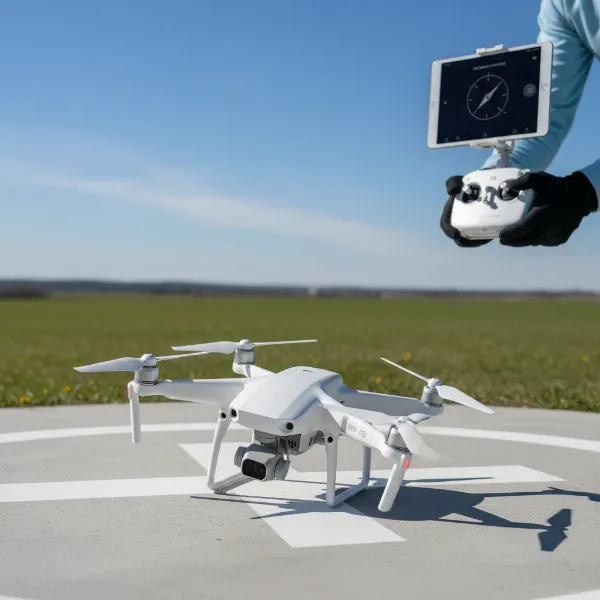 A drone being calibrated outdoors, with a remote controller showing the app interface and a clear, level surface. The scene should convey precision and focus.
Mastering Your Drone’s IMU Calibration
The IMU calibration focuses on ensuring your drone accurately perceives its own movement and orientation. This process is generally more static but equally critical for stable flight.
Essential Pre-Calibration Checks
Like compass calibration, a few preparatory steps are essential for successful IMU calibration.
- Flat, Level, and Stable Surface: This is the most crucial requirement for IMU calibration. Find a perfectly flat, level, and stable surface indoors, free from any vibrations or movement. A sturdy table or a flat floor is ideal. Avoid uneven ground, carpets, or surfaces prone to shaking.
- Battery Level: Ensure your drone’s battery is charged to at least 50%.
- Connect to the App: Power on your drone and remote controller, and establish a connection via the drone’s companion app.
- Fold Arms (if applicable): For many foldable drones (like the DJI Mavic series), it’s recommended to fold the arms before IMU calibration.
The IMU Calibration Procedure
The IMU calibration process is typically guided by your drone’s app and requires precision in drone placement.
- Access IMU Calibration: Within your drone’s app, navigate to the flight settings or sensor calibration section and select “IMU Calibration.”
- Follow On-Screen Instructions: The app will guide you through a series of precise positions for your drone. For some models, this might involve placing the drone perfectly flat, then on its side, nose up, nose down, and inverted. Other models, particularly older DJI drones, might require rotating through six specific orientations (nose up, nose down, left side down, right side down, forward down, inverted).
- Keep Drone Perfectly Still: It is absolutely critical to keep the drone perfectly still and stable in each position as instructed by the app. Any movement or vibration during the calibration can lead to errors and a failed calibration.
- Confirmation: Once all positions are completed and the data is processed, the app will display a “Calibration Successful” message, and the drone may restart. If the calibration fails, restart the drone and repeat the process, paying extra attention to the level surface and stillness.
Troubleshooting Common Calibration Challenges
Even with careful execution, you might encounter issues during calibration. Here’s how to address some common problems.
Calibration Failures
If your drone’s app reports a “Calibration Failed” message for either the compass or IMU:
- Restart and Retry: Often, a simple restart of both the drone and the app, followed by a reattempt at calibration, can resolve transient errors.
- Check Environment: For compass calibration, re-evaluate your surroundings for any potential magnetic interference. Move to a more open area if necessary. For IMU, ensure the surface is absolutely level and stable.
- Check Battery: Confirm your drone’s battery is sufficiently charged (above 50%).
Persistent Errors
If calibration consistently fails despite your best efforts:
- Firmware Update: Ensure your drone’s firmware and the companion app are both updated to the latest versions. Outdated software can sometimes cause sensor communication issues.
- Manufacturer Support: If the problem persists after multiple attempts and environmental checks, there might be a hardware issue. Contact your drone’s manufacturer support for further diagnostics or a repair request.
Misconceptions
- Over-calibration: While important, there’s no need to constantly calibrate. Calibrate when prompted, in new locations, or after incidents, but excessive calibration in an unstable environment can actually introduce more errors.
- GPS vs. Compass/IMU: While GPS provides positional data, the compass determines heading and the IMU ensures stability. A good GPS signal doesn’t negate the need for proper compass and IMU calibration.
Best Practices for Long-Term Drone Health
Integrating calibration into your routine maintenance will significantly enhance your drone’s longevity and performance.
- Regular Pre-Flight Checks: Always perform a quick visual inspection and sensor status check through your app before every flight. Confirm GPS lock and home point establishment.
- Stay Updated with Firmware: Keep your drone’s firmware current. Manufacturers frequently release updates that improve sensor performance and introduce new features.
- Understand Your Drone’s Specific Manual: While this guide provides general instructions, always refer to your drone’s user manual for model-specific calibration procedures and recommendations.
- Consider a Regular Calibration Schedule: Based on your flying frequency and environments, establish a personal calibration schedule. For instance, calibrate your compass every time you fly in a new location and your IMU every few months or after any hard landings.
By diligently performing these calibrations, you are not just maintaining your equipment; you are actively investing in safer, more reliable, and ultimately, more enjoyable drone flights.
Conclusion
Calibrating your drone’s compass and IMU are fundamental practices that every drone pilot should master. These two internal systems are the bedrock of stable flight, accurate navigation, and reliable performance. By understanding their roles, recognizing when calibration is needed, and following the proper steps, you can mitigate common flight issues and significantly reduce the risk of accidents. Prioritizing these essential maintenance tasks empowers you to fly with confidence, knowing your drone is operating at its optimal level. What exhilarating aerial adventures will your perfectly calibrated drone unlock for you next?
Frequently Asked Questions
How often should I calibrate my drone’s compass?
You should calibrate your drone’s compass before its first flight, whenever you fly in a new location (especially if it’s more than a few miles from your last flight), after a firmware update, or if your drone exhibits erratic directional behavior. Some pilots choose to calibrate before every flight for maximum assurance.
What happens if I don’t calibrate my drone’s IMU?
An uncalibrated IMU can lead to significant flight instability, including drifting, “toilet-bowling,” inaccurate altitude holding, and unpredictable responses to controls. This can result in poor photo/video quality, compromised safety, and a higher risk of crashes or flyaways, as the drone struggles to understand its own orientation.
Can I calibrate my drone indoors?
While you can typically calibrate your drone’s IMU indoors on a perfectly flat and stable surface, compass calibration should ideally be done outdoors. Indoor environments often contain magnetic interference from metal structures, wiring, or electronic devices, which can lead to an inaccurate compass calibration and subsequent flight issues.