Have you ever dreamt of soaring through the skies, experiencing the world from a bird’s-eye perspective, or performing exhilarating aerial maneuvers? The world of FPV (First-Person View) drones offers just that, blending high-speed thrills with immersive flight. For newcomers eager to dive into this dynamic hobby and seasoned pilots seeking a portable, fun-to-fly companion, the BetaFPV Cetus X Kit stands out. This comprehensive ready-to-fly package promises to take you from a complete beginner to an FPV flying enthusiast, offering a balanced blend of accessibility, power, and the sheer joy of flight.
What is the BetaFPV Cetus X Kit? A Comprehensive Overview
The BetaFPV Cetus X Kit is an all-inclusive, Ready-To-Fly (RTF) FPV drone package designed to provide a complete immersive flying experience right out of the box. At its heart is the Cetus X drone, a powerful brushless quadcopter categorized as a “micro whoop” due to its small size and built-in propeller guards. This design makes it robust enough for both indoor and outdoor flight, minimizing damage from inevitable crashes, especially during the learning phase.
This comprehensive kit typically includes the Cetus X drone itself, the LiteRadio 3 Transmitter for precise control, and VR03 FPV Goggles for that essential first-person perspective. You’ll also find multiple batteries, a charger, spare propellers, and a convenient carry case, ensuring you have everything needed to get airborne quickly. The Cetus X drone is known for its 2S power system, offering more thrust and agility than many single-cell (1S) micro drones. It also boasts an adjustable FPV camera angle, allowing pilots to tilt the camera from 0 to 40 degrees to optimize their view depending on flight speed – a straighter angle for slower, indoor flights and a more tilted view for aggressive, fast outdoor maneuvers. Crafted from durable PA12 plastic, the drone is built to withstand impacts, making it an excellent choice for learning.
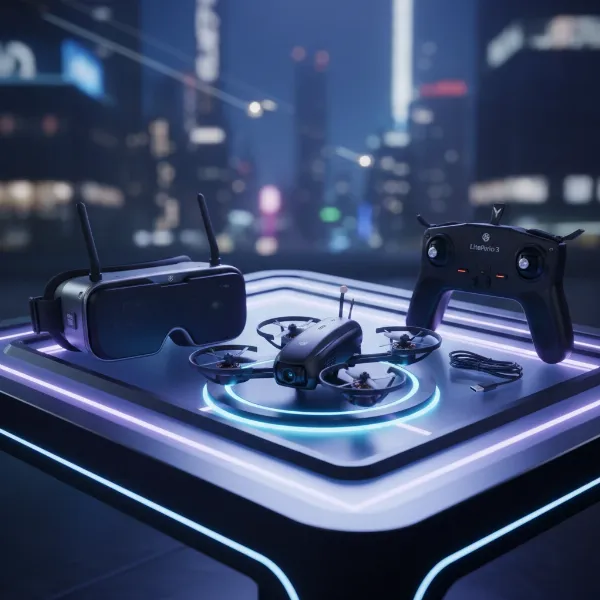 A complete BetaFPV Cetus X FPV drone kit with drone, goggles, and controller laid out on a table
Pros and Cons of the BetaFPV Cetus X Kit
Like any specialized piece of equipment, the BetaFPV Cetus X Kit comes with its own set of advantages and limitations. Understanding these can help you determine if it aligns with your FPV aspirations.
On the positive side, its primary strength is being a complete RTF kit, meaning you don’t need to purchase separate components, making the entry barrier to FPV significantly lower. It’s exceptionally suitable for both beginners and experienced pilots, offering a learning path with its multiple flight modes and enough power for advanced freestyle tricks, thus providing excellent longevity. The inclusion of multiple flight modes (Normal, Sport, Manual/Acro) and speed settings allows pilots to gradually build their skills. A standout feature is the goggle DVR, which enables recording of your flight footage, perfect for reviewing your progress or sharing exciting moments. The drone’s durable construction and plug-and-play components mean that repairs are often simple and inexpensive, a huge relief for a hobby where crashes are frequent. Furthermore, the LiteRadio 3 controller can be connected to FPV simulators, offering a safe and cost-effective way to practice without risking your physical drone. The practical “Turtle Mode” allows you to remotely flip the drone over after a crash, saving you the walk of shame.
However, there are a few drawbacks. The included VR03 FPV Goggles are a basic box-type model and may not be comfortable or suitable for users who wear glasses. The battery life is relatively short, typically ranging from 3 to 5 minutes per flight, necessitating multiple batteries for extended sessions. Mastering FPV, especially the exhilarating Manual/Acro mode, requires significant practice and patience. As with all analogue FPV systems, the video feed can be prone to interference and break-up. The Cetus X can also struggle in strong winds, making calm conditions ideal for optimal performance. Finally, it’s important to note that this drone is not designed for high-resolution photography or cinematic 4K video; its primary purpose is the raw experience of FPV flight.
Diving Deeper: Flight Performance and Modes
The BetaFPV Cetus X is engineered to facilitate a smooth progression from beginner-friendly flight to advanced acrobatic maneuvers, primarily through its versatile flight modes and speed settings.
The kit offers three distinct flight modes:
- Normal Mode (Level) is ideal for absolute beginners. In this mode, the drone automatically levels itself, can hover, hold position, and even land automatically when batteries are low (specific to the Cetus FC version). This stability allows new pilots to get accustomed to the FPV goggles and basic controls without the added complexity of constant manual stabilization.
- Sport Mode (Angle) provides a step up in control. Here, the drone’s pitch and roll angles are fixed, offering more agility than Normal Mode, but without the self-leveling sensors. While more nimble, it’s often seen as a transitional mode that doesn’t fully prepare you for the intricacies of manual flight.
- Manual Mode (Acro) is where the true FPV experience comes alive. This mode demands full manual control over throttle, pitch, and roll, allowing for gravity-defying flips, rolls, dives, and loops. While challenging, it’s the most rewarding and exhilarating way to fly, synonymous with the impressive FPV videos you see online. Expect frequent crashes as you learn, but persistence will lead to incredible aerial mastery.
Complementing these modes are three speed settings, allowing pilots to gradually increase the drone’s responsiveness as their skills improve. Flight times typically hover around 3-5 minutes, heavily dependent on how aggressively you fly and environmental factors like wind. A pair of batteries charges in approximately 20 minutes, highlighting the benefit of purchasing additional batteries for uninterrupted fun. Handling the Cetus X requires practice; while it’s fast and nimble, flying it slowly can be a challenge initially. Starting in an open outdoor space is often recommended for new pilots. While powerful for its size, the Cetus X might struggle in winds exceeding 15 mph, so choosing calm weather conditions is crucial for the best flying experience.
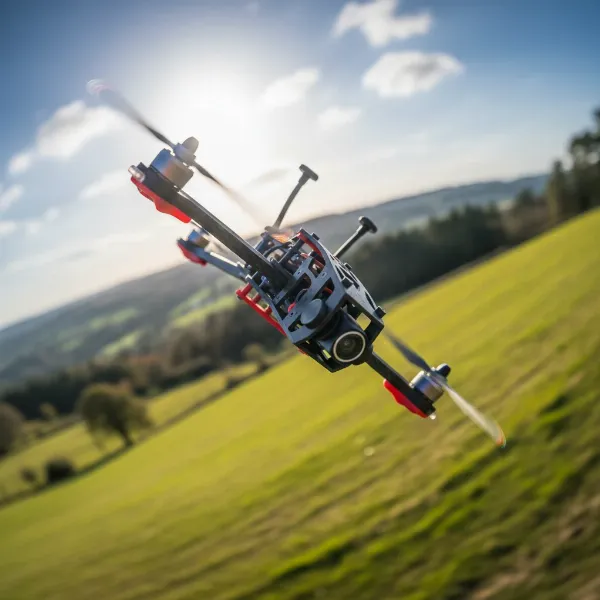 A BetaFPV Cetus X drone performing an acrobatic flip or roll in the sky, viewed through FPV goggles effect.
A lifesaver for any FPV pilot, especially beginners, is “Turtle Mode.” This ingenious feature allows you to remotely flip the drone back upright after it crashes and lands upside down. As long as the drone is on a relatively flat surface or short grass, you can activate Turtle Mode via the controller, saving you the hassle of walking to retrieve your drone every time it tumbles. This feature significantly enhances the flow of practice sessions and reduces downtime.
The BetaFPV Cetus X in Detail: Drone, Controller, and Goggles
Each component of the BetaFPV Cetus X Kit is meticulously designed to work in harmony, providing a cohesive and immersive FPV experience.
The Cetus X Drone itself is a marvel of micro-drone engineering. It features powerful 1103 11000KV brushless motors paired with Gemfan 2020 4-Blades propellers, delivering robust thrust for its compact 95mm wheelbase. Weighing in at just 55g (without batteries), it’s light yet powerful, thanks to its dual 1S BT2.0 450mAh batteries. The drone integrates a C04 FPV Camera, which is either a Caddx Nano Ant Camera or a Runcam Nano 4, offering reliable video feed to the goggles. Its highly durable PA12 plastic frame, complete with integrated propeller guards, ensures longevity through countless learning flights and minor tumbles.
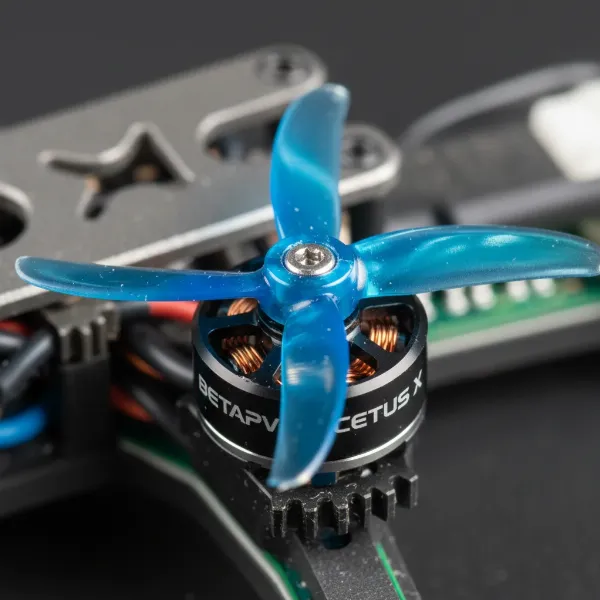 A detailed close-up shot of the BetaFPV Cetus X drone's brushless motor and propeller, highlighting its engineering.
The LiteRadio 3 Transmitter is BetaFPV’s mid-range controller, known for its comfortable ergonomics and sturdy build. It typically comes in either a Frsky D8 version (for the Cetus FC drone variant) or an ELRS 2.4G version (for the Betaflight FC variant, offering a more versatile radio protocol). With 100mW of transmitting power, it provides a reliable link to the drone. The controller features a built-in 2000mAh battery, offering ample power for multiple flight sessions. A highly valuable function is its ability to connect via USB-C to a computer, allowing it to act as a gamepad for popular FPV flight simulators like LiftOff and FPV.SkyDive. This is an indispensable tool for honing your stick skills without the risk of damaging your physical drone.
Completing the FPV trifecta are the VR03 FPV Goggles. These are basic, box-type goggles designed for accessibility. They feature an 800x480px analogue display, which, while not high-definition, provides a clear and effective first-person view. Uniquely, they use a mirrored screen setup, eliminating the need for Fresnel lenses. A significant advantage is the built-in DVR, which allows you to record your 480p FPV feed directly onto a microSD card. This recording capability is invaluable for post-flight analysis, sharing, or even locating your drone if it crashes out of sight. The video transmitter (VTX) can be adjusted between 25mW and 350mW, though local regulations on transmitting power should always be checked. The goggles are powered by a built-in 2000mAh battery, offering approximately 1-2 hours of runtime, depending on whether the DVR is actively recording. It’s worth noting that some users, particularly those who wear glasses, might find the fit or screen size less ideal.
Is the BetaFPV Cetus X Kit Right for You?
Deciding if the BetaFPV Cetus X Kit is the perfect fit largely depends on your aspirations within the drone world. This kit shines brightly for two primary user groups. Firstly, it’s an outstanding choice for absolute beginners who are ready to embrace the steep but rewarding learning curve of FPV flying. Its RTF nature, progressive flight modes, and built-in durability offer a gentle entry point into a complex hobby, equipping you with all the essentials to start your FPV journey. The ability to practice on simulators with the included controller further solidifies its value as a learning platform.
Secondly, the Cetus X Kit is an excellent option for experienced FPV pilots looking for a fun, small, and convenient drone for casual flying, indoor practice, or to simply have a readily available “throw-and-go” quad. Its powerful 2S system provides enough punch for basic freestyle tricks, ensuring it remains engaging even for those accustomed to more advanced setups. The compact size and protective propeller guards make it suitable for flying in smaller spaces where larger, open-prop FPV drones would be impractical or unsafe.
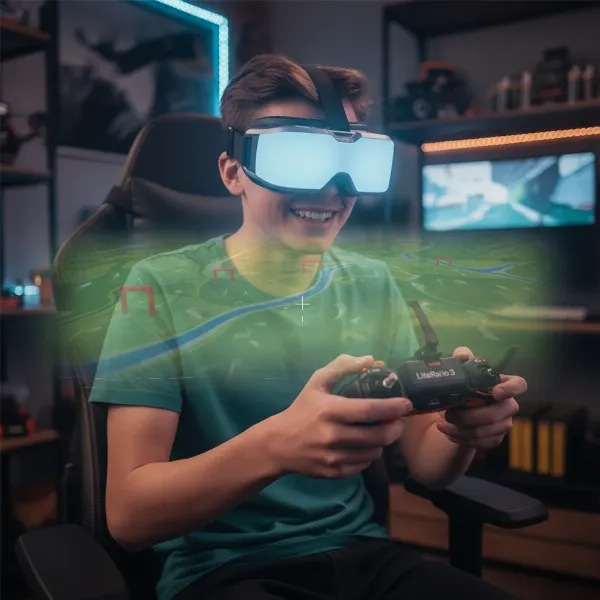 A person wearing FPV goggles and holding a BetaFPV LiteRadio 3 controller, smiling, with a drone-like view in the background.
However, the Cetus X Kit might not be for everyone. If your main interest is high-quality aerial photography or cinematic 4K video recording, this is not the drone for you. FPV drones like the Cetus X are built for the thrill of flight, not for capturing stunning visuals (though the DVR records the FPV feed for review). Individuals who are prone to motion sickness may find FPV goggles disorienting, and it’s advisable to test this sensitivity with a simulator first. Lastly, if you have a low tolerance for crashing and the occasional need for repairs, FPV flying, by its very nature, might prove frustrating. Crashes are an inherent part of the learning process and even advanced flying, making durability and ease of repair paramount.
Tips for Flying and Maintaining Your BetaFPV Cetus X
Embarking on your FPV journey with the BetaFPV Cetus X Kit is an exciting prospect, and a few key tips can significantly enhance your experience and prolong the life of your drone.
Practice extensively with FPV simulators. This cannot be stressed enough. Connecting your LiteRadio 3 controller to a computer and logging many hours (15+ is a common recommendation) on a simulator is the safest and most effective way to build muscle memory and understand flight dynamics without risking your physical drone. This practice is crucial before attempting Manual/Acro mode. When you do take to the actual skies, start in Normal mode in an open, unobstructed outdoor area. This allows you to get comfortable with the FPV view and basic controls in a stable environment. Gradually transition through the speed settings and flight modes as your confidence and skills grow.
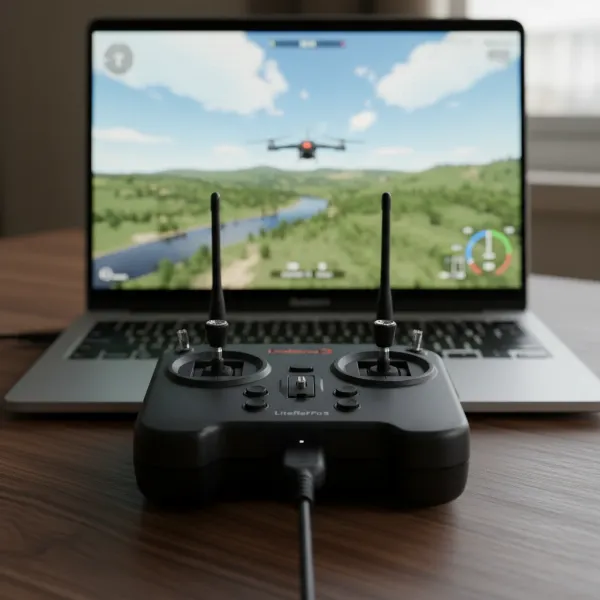 A LiteRadio 3 controller connected to a computer displaying an FPV flight simulator, showing a drone practicing.
Be prepared for crashes. They are an inevitable part of FPV flying. The Cetus X is durable, but knowing how to perform basic repairs is a valuable skill. Fortunately, its plug-and-play design and readily available, inexpensive spare parts make self-repair straightforward, often requiring just a few screws. Always remember to invest in extra batteries. With short flight times of 3-5 minutes, having several fully charged batteries on hand will ensure you maximize your flying sessions. Lastly, always check local drone laws and regulations, especially regarding video transmitter (VTX) power output, as regulations vary by region. Flying responsibly ensures safety for yourself and others.
Conclusion
The BetaFPV Cetus X Kit is a remarkable entry point into the exhilarating world of FPV drones, expertly bridging the gap between raw power and beginner-friendly features. It offers a complete, ready-to-fly package that empowers new pilots to navigate the steep learning curve with confidence, while also providing seasoned enthusiasts with a portable, durable, and immensely fun micro whoop for casual freestyle action. From its robust design and versatile flight modes to the immersive FPV goggles and simulator-compatible controller, the Cetus X delivers exceptional value. It’s a testament to how accessible and enjoyable FPV flying has become.
Are you ready to embrace the thrill of FPV flying with the BetaFPV Cetus X?
Frequently Asked Questions
How long does the BetaFPV Cetus X fly on a single charge?
|
Our Picks for the Best Drone in 2026
As an Amazon Associate I earn from qualifying purchases.
|
||
| Num | Product | Action |
|---|---|---|
| 1 | Drone with Camera for Adults 4K, Brushless Motor Drones for Kids Beginners, 60 Mins Flight, 130° Lens, FPV Foldable RC Quadcopter, Gesture Photography, Toys Gifts for Teen Boys Girls, Black |

|
| 2 | DJI Mini 4K, Drone with 4K UHD Camera for Adults, Under 249 g, 3-Axis Gimbal Stabilization, 10km Video Transmission, Auto Return, Wind Resistance, 1 Battery for 31-Min Max Flight Time, Intelligent |
|
| 3 | Drone with Camera, Drones for Adults and Beginners, 1080P HD FPV Foldable Mini Drones for Kids, with 2 Batteries, Carrying Case, Trajectory Flight, Gravity Control, One-Key Takeoff/Landing, 360° Flip, Toys for Gift |
|
| 4 | DJI Mini 3 Fly More Combo (DJI RC), Drones with Camera for Adults 4K, 3 Batteries for 114-min Flight Time, Vertical Shooting, 32800ft (10km) Video Transmission, Lightweight Mini Drone for Beginners |
|
| 5 | Drone with 1080P Camera - Foldable Remote Control Quadcopter with Gesture Control, 3D Flip, One Key Start, Emergency Stop, 2 Batteries, Easier to use, Toy for Kids Adult Beginners |
|
| 6 | DJI Mini 4K Camera Drone Combo, Drone with 4K UHD Camera for Adults, Under 249 g, 3-Axis Gimbal Stabilization, 10km Video Transmission, Auto Return, 2 Batteries for 62-Min Max Flight Time, QuickShots |
|
| 7 | GPS Drones with Camera for Adults 4K, FPV Drone Under 249g with Brushless Motor, GPS Auto Return, Follow Me, Circle Fly, Waypoint Flight, Foldable Drone with Gesture Control, 46Mins with 2 Batteries |
|
| 8 | DJI Air 3S Fly More Combo (RC 2 Screen Remote Controller), Drone with 1" CMOS Wide-Angle & Medium Tele Camera for Adults, 4K/60fps, Omnidirectional Sensing & 3 Batteries for Extended Flight Time |
|
| 9 | Drone with Camera 1080P HD FPV Foldable Mini Drone for Beginners Kids Adults, Drone with One Key Take Off/Landing, Gesture Selfie, Altitude Hold, 3D Flip, Easy to Fly, 2 Batteries, Toys for Boys Girls |
|
| 10 | Drone with Camera - Drone with Screen on Controller for Beginners, Foldable Remote Control Quadcopter with Gesture Control, 3D Flip, One Key Start, Emergency Stop, 2 Batteries, Easier to use to use |
|
The BetaFPV Cetus X typically offers a flight time of 3-5 minutes on a single pair of charged batteries. This duration can vary based on your flying style, with aggressive maneuvers and high speeds consuming battery power more quickly. It’s highly recommended to carry multiple spare batteries for extended flying sessions, as a pair recharges in about 20 minutes.
Can the BetaFPV Cetus X record video?
Yes, the BetaFPV Cetus X kit includes VR03 FPV Goggles with a built-in Digital Video Recorder (DVR). This allows you to record the FPV feed directly to a microSD card at 480p resolution. While not high-definition or cinematic quality, it’s perfect for reviewing your flights, tracking your progress, or even helping to locate your drone if it crashes out of sight.
Is the BetaFPV Cetus X good for beginners?
Absolutely. The BetaFPV Cetus X is considered one of the best ready-to-fly kits for beginners. It features progressive flight modes, starting with a stable Normal mode that includes hover and position hold, allowing new pilots to gradually learn. Its durable frame and easy repairability also make it forgiving for the inevitable crashes during the learning process, offering a smooth path to becoming an FPV expert.
What is “Turtle Mode” on the Cetus X?
“Turtle Mode” is a convenient feature that allows you to remotely flip the Cetus X drone back upright after it has crashed and landed upside down. By activating this mode via the controller, you can save yourself the effort of physically retrieving the drone, enabling quicker return to flight. It works best on relatively flat surfaces or short grass.
Can I use other goggles/controllers with the Cetus X?
While the BetaFPV Cetus X Kit comes with the LiteRadio 3 Transmitter and VR03 FPV Goggles, the drone (especially the Betaflight FC version) can often be bound to other compatible FPV controllers and flown with more advanced FPV goggles. However, upgrading these components would negate the cost-effectiveness and all-in-one convenience of the original kit, which is designed for seamless integration.