As drone technology continues its rapid ascent, from hobbyist gadgets to essential tools for professionals in industries like cinematography, surveying, and inspection, the importance of a reliable ground control station has never been greater. For drone pilots, the tablet connected to their controller is more than just a screen; it’s their window to the skies, demanding uncompromised performance and, critically, exceptional visibility. You need a device that can stand up to the elements and deliver a crystal-clear image, even under the harshest glare of direct sunlight. This guide will navigate you through the world of drone control tablets, focusing on those with screens bright enough to ensure your aerial operations are always precise, safe, and efficient.
What Makes a Tablet Good for Drone Control?
A tablet suitable for drone control isn’t just any tablet. It requires a specific set of features tailored to the demands of outdoor aerial operations. Beyond simply displaying the drone feed, these devices must offer robust performance, unwavering reliability, and seamless integration with your drone’s ecosystem.
Firstly, screen brightness is paramount. Traditional consumer tablets, while excellent indoors, often struggle in bright sunlight, making it nearly impossible to monitor critical flight data or observe your drone’s camera feed. A high-nit display is essential for maintaining clear visibility outdoors. Beyond brightness, a tablet’s durability is key. Drone operations often take place in demanding environments, making ruggedness, water resistance, and shock protection crucial for longevity. Connectivity is equally vital, ensuring a stable link between your controller and the drone, while sufficient processing power and RAM prevent lag during real-time video streaming and complex mission planning. Lastly, battery life must be robust enough to outlast multiple drone battery cycles, and GPS capabilities are often needed for advanced flight features.
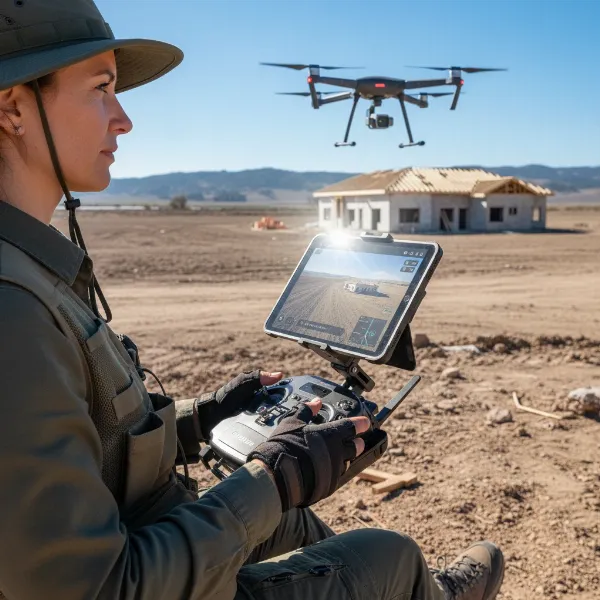 Drone pilot operating rugged tablet outdoors for flight control, clear screen in sunlight.
Why Screen Brightness is Crucial for Drone Pilots
Imagine trying to navigate a complex flight path or capture a perfect aerial shot while squinting at a washed-out screen. For drone pilots, this isn’t just an inconvenience; it’s a significant operational hindrance and a potential safety risk. Traditional smartphone and tablet screens typically offer brightness levels ranging from 400-700 nits, which quickly become unreadable when battling direct sunlight. Even premium smartphones that boast peak brightness of 1000-1200 nits often reserve this for HDR content, delivering a much lower sustained brightness in everyday use.
This is where specialized bright-screen tablets become indispensable. A display with sustained brightness of 1000 nits or more can cut through glare, providing a clear, high-contrast view of your telemetry, live camera feed, and mapping data. For outdoor use, particularly in direct sunlight, pilots should aim for tablets with brightness levels exceeding 1000 nits. Some advanced models even push this to an impressive 2600 nits, ensuring unparalleled visibility regardless of lighting conditions. Without adequate screen brightness, pilots risk losing visual contact with critical data, leading to errors, compromised footage, or even accidents.
Top Tablets for Drone Controllers with Bright Screens
When every detail on your screen matters, investing in a tablet with a super-bright display is a game-changer. Here are some of the leading contenders designed to give drone pilots the best possible outdoor viewing experience:
Tripltek Tablets (e.g., Tripltek 8 Pro, 9 Pro)
The Tripltek series is arguably one of the most highly recommended lines of tablets specifically engineered for drone pilots. Known for their exceptional brightness and rugged build, these tablets are built to perform in challenging outdoor conditions.
- Key Features:
- Sustained Brightness: Offers 1200-1300 nits of sustained brightness, far surpassing most consumer tablets and phones, ensuring excellent visibility in direct sunlight.
- Durability: Rated IP68 for water and dust resistance, along with shockproof construction, making them incredibly robust.
- Battery Life: Equipped with a large 12,200 mAh battery, providing around 10 hours of operation at maximum brightness, perfect for extended flight sessions.
- Compatibility: Runs on Android (Android 10 or newer, like Android 12 for the 9 Pro), making it compatible with popular drone apps like DJI Fly, DJI Go 4, Autel Explorer, and Skydio.
- Performance: Features powerful CPUs and ample RAM for smooth real-time video streaming and app performance.
- Connectivity & GPS: Includes high-precision GPS (compatible with GPS+, Glonass, BeiDou, Galileo) and 4G LTE cellular capabilities for in-field data access.
- Screen Size & Resolution: Available in sizes like 8-inch and 9-inch, with high resolutions (e.g., 2560×1600 pixels on the 9 Pro) for sharp visuals.
|
Our Picks for the Best Drone in 2026
As an Amazon Associate I earn from qualifying purchases.
|
||
| Num | Product | Action |
|---|---|---|
| 1 | Drone with Camera - Drone with Screen on Controller for Beginners, Foldable Remote Control Quadcopter with Gesture Control, 3D Flip, One Key Start, Emergency Stop, 2 Batteries, Easier to use to use |

|
| 2 | Drone with Camera 1080P HD FPV Foldable Mini Drone for Beginners Kids Adults, Drone with One Key Take Off/Landing, Gesture Selfie, Altitude Hold, 3D Flip, Easy to Fly, 2 Batteries, Toys for Boys Girls |
|
| 3 | DJI Mini 3 Fly More Combo (DJI RC), Drones with Camera for Adults 4K, 3 Batteries for 114-min Flight Time, Vertical Shooting, 32800ft (10km) Video Transmission, Lightweight Mini Drone for Beginners |
|
| 4 | DJI Air 3S Fly More Combo (RC 2 Screen Remote Controller), Drone with 1" CMOS Wide-Angle & Medium Tele Camera for Adults, 4K/60fps, Omnidirectional Sensing & 3 Batteries for Extended Flight Time |
|
| 5 | DJI Mini 4K Camera Drone Combo, Drone with 4K UHD Camera for Adults, Under 249 g, 3-Axis Gimbal Stabilization, 10km Video Transmission, Auto Return, 2 Batteries for 62-Min Max Flight Time, QuickShots |
|
| 6 | Drone with 1080P Camera - Foldable Remote Control Quadcopter with Gesture Control, 3D Flip, One Key Start, Emergency Stop, 2 Batteries, Easier to use, Toy for Kids Adult Beginners |
|
| 7 | GPS Drones with Camera for Adults 4K, FPV Drone Under 249g with Brushless Motor, GPS Auto Return, Follow Me, Circle Fly, Waypoint Flight, Foldable Drone with Gesture Control, 46Mins with 2 Batteries |
|
| 8 | Drone with Camera for Adults 4K, Brushless Motor Drones for Kids Beginners, 60 Mins Flight, 130° Lens, FPV Foldable RC Quadcopter, Gesture Photography, Toys Gifts for Teen Boys Girls, Black |
|
| 9 | DJI Mini 4K, Drone with 4K UHD Camera for Adults, Under 249 g, 3-Axis Gimbal Stabilization, 10km Video Transmission, Auto Return, Wind Resistance, 1 Battery for 31-Min Max Flight Time, Intelligent |
|
| 10 | Drone with Camera, Drones for Adults and Beginners, 1080P HD FPV Foldable Mini Drones for Kids, with 2 Batteries, Carrying Case, Trajectory Flight, Gravity Control, One-Key Takeoff/Landing, 360° Flip, Toys for Gift |
|
Hugerock X7
Another strong contender in the dedicated drone tablet space, the Hugerock X7 stands out with an exceptionally bright screen.
- Key Features:
- Extreme Brightness: Boasts an astonishing 2600 nits of brightness, making it one of the brightest tablets available for drone control and ensuring superior readability even in the most intense sunlight.
- Rugged Design: Designed to be shockproof, waterproof, and dustproof, capable of withstanding drops and harsh environments.
- Portability: Typically features a 7-inch display, offering a balance between screen real estate and portability.
- Compatibility: Runs on Android, making it compatible with various drone applications.
DJI CrystalSky (Dedicated Monitors)
While not a tablet in the traditional sense, DJI’s CrystalSky monitors are worth mentioning for their unparalleled brightness. These are dedicated screens designed solely for drone control.
- Key Features:
- Ultra Brightness: Available in high brightness (1000 nits) and ultra brightness (2000 nits) versions.
- Optimized for DJI: Runs a custom Android system optimized for DJI apps, ensuring seamless integration.
- Robust Build: Designed for outdoor use with good operating temperatures.
- Consideration: They are often more expensive and less versatile than general-purpose tablets, lacking other tablet functionalities.
Samsung Galaxy Tab Active Series (Rugged Consumer Tablets)
For those seeking a more mainstream rugged option that still offers decent outdoor performance, Samsung’s Tab Active series provides a good balance.
- Key Features:
- Durability: These tablets are built with ruggedized features, often meeting MIL-STD-810G standards and offering IP68 ratings for dust and water resistance.
- Brightness: While not reaching the extreme nits of Tripltek or Hugerock, some models offer enhanced outdoor visibility compared to standard consumer tablets, typically in the 600-800 nit range, which can be sufficient for partial sun.
- Versatility: Being a general-purpose Android tablet, they offer broader app compatibility and functionality beyond drone control.
- Battery: Often feature replaceable batteries and good overall endurance.
iPad Pro Models (with caveats)
Apple’s iPad Pro offers powerful performance and beautiful displays, but their brightness for direct sunlight often falls short of dedicated drone tablets.
- Key Features:
- Performance: M-series chips deliver exceptional processing power for smooth app operation and video.
- Display: iPad Pro models with Liquid Retina XDR (mini-LED) can reach 1000 nits sustained and 1600 nits peak for HDR content. However, for general use in bright sunlight, this sustained brightness might still be insufficient for some pilots compared to the dedicated drone tablets.
- Compatibility: Excellent compatibility with DJI’s iOS apps.
- Drawback: Standard iPads typically only offer 500-600 nits, which is generally considered too dim for direct sunlight drone flying.
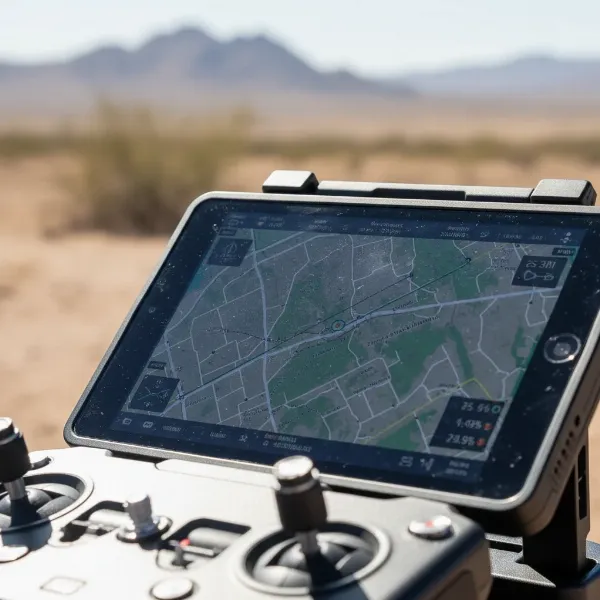 High-brightness drone tablet displaying aerial footage in direct sunlight clearly.
It’s clear that while many tablets can run drone apps, only a select few are truly optimized for the demanding conditions of outdoor drone piloting, with sustained high brightness being a non-negotiable feature for serious operators.
Factors to Consider When Choosing a Drone Controller Tablet
Selecting the perfect tablet for your drone control involves more than just picking the brightest screen. A holistic approach, considering several key factors, will ensure you invest in a device that genuinely enhances your piloting experience and stands the test of time.
1. Screen Brightness (Nits)
This is paramount. For reliable outdoor visibility, especially in direct sunlight, aim for a tablet with 1000 nits or more of sustained brightness. Remember that peak brightness for HDR content is not the same as sustained brightness for general app use outdoors. Anything less than 800 nits will likely cause frustration under sunny skies.
2. Durability and Ruggedness
Drone operations often occur in less-than-ideal environments. A rugged tablet, or one protected by a robust case, is essential. Look for:
- IP Ratings: IP68 signifies excellent dust and water resistance.
- MIL-STD-810G: This military standard indicates resistance to shocks, vibrations, drops, and extreme temperatures.
- Operating Temperature Range: Ensure the tablet can function reliably in both hot and cold conditions.
3. Compatibility with Drone Apps
Most modern drones use dedicated apps (e.g., DJI Fly, Autel Explorer, Skydio App). Ensure your chosen tablet’s operating system (Android 10+ or iOS 14+ is generally recommended) and hardware are fully compatible with your drone’s specific application. Check manufacturer-recommended device lists if available.
4. Battery Life and Thermal Management
A tablet that dies mid-flight is a pilot’s nightmare. Look for devices with large battery capacities (e.g., 10,000 mAh or more) that can endure multiple drone battery cycles. Good thermal management is also critical, as high brightness and intensive processing can generate heat, potentially leading to performance throttling or shutdowns in hot weather. Tablets designed for outdoor use often have optimized thermal solutions.
5. Processing Power and RAM
Smooth, lag-free real-time video feeds and responsive controls are crucial. A powerful multi-core CPU and sufficient RAM (at least 4GB, preferably 6GB or more) will handle complex drone applications, high-resolution video streams, and multiple background tasks without stuttering.
6. GPS Capability
While your drone has GPS, some tablet-specific functions (like Follow Me or updating the home point if you move after takeoff) may require the tablet itself to have GPS. Wi-Fi-only iPads, for instance, typically lack integrated GPS, potentially necessitating an external Bluetooth GPS receiver for certain functions.
7. Size and Portability
The tablet should fit comfortably into your drone controller mount. Screen sizes from 7 to 10 inches are common. Consider the overall weight and dimensions, especially if you’re hiking to remote launch sites.
8. Anti-Glare and Screen Coatings
Beyond brightness, anti-glare coatings can significantly improve outdoor readability by reducing reflections. Oleophobic (fingerprint-resistant) coatings also help keep the screen clear.
By carefully evaluating these factors, you can choose a tablet that not only displays your drone’s feed brilliantly but also supports all your operational needs reliably in any environment.
Popular Drone Brands and Their Tablet Compatibility
Most drone manufacturers design their apps to be compatible with a wide range of mobile devices. However, optimal performance and screen visibility vary greatly. Understanding compatibility helps you choose a tablet that integrates seamlessly with your specific drone ecosystem.
DJI (Da-Jiang Innovations)
As the global leader in consumer and professional drones, DJI offers robust apps like DJI Fly and DJI Go 4. These apps are highly optimized for both iOS and Android platforms.
- iOS Devices: Most modern iPads (iPad Air, iPad Mini, iPad Pro models) are compatible, offering strong performance. However, as noted, their screen brightness can be a limiting factor in direct sunlight.
- Android Devices: A vast array of Android tablets are compatible. High-end Android tablets, and especially dedicated drone tablets like Tripltek, are excellent choices due to their superior brightness and robust build, supporting DJI’s apps without issues.
Autel Robotics
A strong competitor to DJI, Autel drones use the Autel Explorer app.
- Compatibility: Like DJI, Autel Explorer is available for both iOS and Android. Users report good compatibility with various devices, emphasizing the need for bright screens. Dedicated Android drone tablets like Tripltek are often recommended for their performance with Autel drones.
Skydio
Known for its autonomous flight capabilities and obstacle avoidance, Skydio drones operate via the Skydio App.
- Compatibility: The Skydio app requires Android 10 or higher, or iOS 14 or higher. Skydio tests various devices and publishes a compatibility list, recommending devices with integrated GNSS for FAA Remote ID compliance. Tablets like the Tripltek 8 Pro are popular choices among Skydio pilots due to their brightness and broad compatibility.
Parrot
Parrot drones often use the FreeFlight app.
- Compatibility: Their apps are generally compatible with standard iOS and Android devices. For optimal outdoor flying experience, the same considerations for screen brightness and performance apply.
For all brands, a tablet specifically designed for outdoor use with high sustained brightness, a powerful processor, and good thermal management will always provide a superior and more reliable piloting experience compared to a general consumer device.
Tips for Optimizing Tablet Performance for Drone Use
Even the best tablet can benefit from optimization to deliver peak performance during your drone flights. These tips focus on maximizing visibility, ensuring stability, and preserving the lifespan of your critical control device.
1. Maximize Screen Brightness (and Monitor Heat)
Always set your tablet to its absolute maximum brightness when flying outdoors. If your tablet has an “outdoor mode” or “sunlight readability” setting, enable it. Be mindful of potential overheating, especially with consumer tablets pushed to their limits; excessive heat can throttle performance or even cause shutdowns. Dedicated drone tablets are designed with better thermal management.
2. Close Unnecessary Apps and Background Processes
Before launching your drone, close all background applications and processes on your tablet. This frees up RAM and CPU resources, ensuring your drone control app has priority and runs smoothly without lag, which is vital for real-time video feeds and responsive controls.
3. Disable Notifications
Turn off all non-essential notifications (calls, texts, app alerts). Unexpected pop-ups can obstruct your view of the drone feed or telemetry, leading to distractions and potential loss of control. Enable “Do Not Disturb” mode or equivalent.
4. Ensure Adequate Storage
Drone apps, especially when recording video directly to the tablet or storing maps, can consume significant storage. Ensure you have ample free space to prevent performance degradation or unexpected app crashes. Consider using a high-capacity SD card if your tablet supports it.
5. Keep Software Updated
Regularly update your tablet’s operating system and, crucially, your drone control app. Manufacturers often release updates that improve performance, stability, and compatibility with new drone firmware or accessories.
6. Fully Charge Your Tablet
Always begin your drone session with a fully charged tablet. A low battery can reduce screen brightness or trigger power-saving modes that hinder performance. For optimal battery health, aim to store your tablet (and drone) batteries at around 50-60% charge when not in use for extended periods, and avoid overcharging or fully discharging them.
7. Use a Reliable USB Cable
If your tablet connects to the drone controller via a cable, use a high-quality, short, and data-transfer-capable USB cable. Poor quality or overly long cables can cause connection issues, signal drops, or lag.
8. Consider an External Sun Shade (for less bright screens)
While bright-screen tablets minimize the need, for devices with lower nit ratings, a physical sun shade can significantly improve screen visibility by blocking direct glare. These are often inexpensive and can clip onto your controller.
By implementing these optimization strategies, you can ensure your drone control tablet is always ready to deliver its best, allowing you to focus on the flight.
Accessories for Drone Control Tablets
Enhancing your drone piloting setup with the right accessories can significantly improve convenience, protection, and overall experience. Beyond the tablet itself, consider these essential additions:
- Dedicated Tablet Mount: While many drone controllers come with phone mounts, a dedicated tablet mount is essential for larger screens. Look for sturdy, adjustable mounts that securely hold your tablet and integrate well with your controller.
- Protective Case/Cover: Even for rugged tablets, an additional protective case can guard against scratches, minor impacts, and environmental wear. For less rugged consumer tablets, a heavy-duty, impact-resistant case is a must.
- Screen Protector: A high-quality screen protector, ideally with anti-glare properties, will shield your screen from scratches and further reduce reflections in bright conditions.
- High-Capacity SD Card: If your drone or tablet records video or stores maps, a fast, high-capacity microSD card is crucial for smooth operation and ample storage.
- Portable Power Bank: Even with excellent tablet battery life, a high-capacity power bank ensures you can recharge your tablet (and potentially your drone batteries) in the field, extending your operational time.
- Lanyard or Neck Strap: For added security and comfort, especially during long flights or when maneuvering, a lanyard attached to your controller (and thus your tablet) can prevent accidental drops.
- External GPS Receiver (for Wi-Fi only iPads): If you use a Wi-Fi-only iPad for drone control and require GPS-dependent features like Follow Me or automatic home point updates, a Bluetooth GPS receiver is necessary to provide location data.
- Stylus (Optional): For precise interactions with small on-screen buttons or detailed mapping, a fine-tip stylus can be surprisingly useful, especially if wearing gloves.
- Sun Hood/Shade: As mentioned, for tablets with brightness levels below 1000 nits, a collapsible sun hood can make a significant difference in screen visibility.
These accessories contribute to a more professional, efficient, and enjoyable drone piloting experience, ensuring your valuable equipment is protected and always ready for action.
Future Trends in Drone Controller Tablets
The landscape of drone technology is constantly evolving, and the devices we use to control them are no exception. Looking ahead, several trends are poised to shape the future of drone controller tablets, further enhancing the piloting experience.
One major trend is the continuous push for even higher sustained screen brightness. While 2600 nits is impressive today, manufacturers will likely explore technologies for even greater outdoor readability, perhaps integrating dynamic display adjustments that respond more intelligently to changing light conditions. Alongside this, we can expect increased integration of AI-powered features directly into the tablet’s operating system, offering predictive analytics, enhanced object recognition, and more sophisticated autonomous flight planning capabilities.
Improved connectivity standards, such as wider adoption of 5G and next-generation Wi-Fi, will enable faster data transfer, lower latency video feeds, and more reliable control over longer distances. We may also see more specialized rugged designs, with greater modularity, allowing pilots to easily swap out components like batteries, antennas, or even entire display modules. The development of augmented reality (AR) overlays on live drone feeds is another exciting prospect, providing pilots with real-time geographical data, mission waypoints, and obstacle warnings directly integrated into their visual stream. Finally, as drone ecosystems mature, there will likely be a greater emphasis on standardization and cross-compatibility, making it easier for pilots to use their preferred tablet across different drone brands and software platforms. These advancements promise a future where drone control is more intuitive, immersive, and robust than ever before.
Conclusion
Choosing the best tablet for your drone controller, particularly one with a bright screen, is a pivotal decision that directly impacts the safety, efficiency, and enjoyment of your aerial operations. While many consumer tablets can run drone apps, dedicated devices like the Tripltek series and Hugerock X7 stand out for their exceptional sustained brightness, rugged durability, and optimized performance in demanding outdoor environments. Remember to prioritize high nit ratings (1000+ nits), robust build quality (IP68, MIL-STD-810G), strong battery life, and seamless compatibility with your drone’s software.
By carefully considering these factors and investing in a high-visibility tablet, you empower yourself with a clear view of your flight, enabling precise control and breathtaking results, no matter how bright the sun shines. What features do you value most in your drone control tablet?
Frequently Asked Questions
Why can’t I see my regular tablet screen when flying my drone in the sun?
Regular tablets often have screen brightness levels designed for indoor use, typically maxing out around 400-700 nits. Direct sunlight is exponentially brighter (upwards of 10,000 nits), causing glare and washing out the screen, making it unreadable for drone operations.
What is a “nit” and why is it important for drone tablets?
A “nit” (or candela per square meter) is a unit of luminance that measures screen brightness. For drone pilots, a higher nit value is crucial because it indicates how well the screen can compete with ambient light, especially sunlight. Tablets with 1000+ nits offer superior outdoor visibility.
Do iPads work well as drone controllers, especially with bright screens?
iPads are compatible with many drone apps and offer powerful performance. However, standard iPads (500-600 nits) are generally not bright enough for direct sunlight. While iPad Pro models offer higher brightness (1000 nits sustained, 1600 nits peak HDR), dedicated drone tablets often provide greater sustained brightness and ruggedness specifically for outdoor drone use.
Are rugged tablets necessary for drone control?
While not strictly “necessary” if you fly in perfectly controlled environments, rugged tablets offer significant advantages for drone control. Their enhanced resistance to drops, dust, water (IP ratings), and extreme temperatures (MIL-STD-810G) makes them far more reliable and durable for outdoor field operations, reducing the risk of damage.
How can I improve my tablet’s battery life when flying drones?
To maximize tablet battery life for drone use, always start with a full charge, close all unnecessary background apps, disable non-essential notifications, and consider carrying a portable power bank. For long-term battery health, store your tablet’s battery at 50-60% charge if not used for extended periods.
Can I use any Android tablet with any drone?
While many Android tablets can run drone apps (requiring Android 10+ for most modern apps), compatibility can vary. It’s essential to check your drone manufacturer’s recommended device list and ensure the tablet has sufficient processing power, RAM, and often GPS, in addition to a bright screen, for optimal performance.
What’s the difference between peak brightness and sustained brightness?
Peak brightness refers to the maximum luminosity a screen can achieve, often for short bursts when displaying HDR content. Sustained brightness is the level of brightness the screen can maintain consistently during typical usage. For drone control, sustained brightness is far more important for continuous outdoor visibility.