Learning to fly a drone can be an exhilarating experience, but the initial steps often come with the daunting risk of damaging expensive equipment. Whether you’re a complete beginner or an experienced pilot looking to hone advanced maneuvers, crashing a real drone can be costly and frustrating. This is where drone simulators for PC become invaluable tools, offering a safe, cost-effective, and endlessly repeatable environment to master your flight skills.
This comprehensive guide will explore the world of PC drone simulators, detailing what they are, their benefits, and highlighting the top options available today. We’ll help you navigate the features of popular simulators, compare their strengths, and provide essential advice on choosing the perfect one for your needs, along with tips for effective practice. Get ready to transform your flight abilities from the comfort of your computer.
What is a Drone Simulator? Overview of Drone Simulation Technology
A drone simulator is a sophisticated software application designed to replicate the experience of flying a real drone in a virtual environment. Often focusing on First Person View (FPV) flying, these programs connect to a physical drone controller, allowing users to build muscle memory and practice intricate maneuvers without the consequences of real-world errors. Unlike simple games, professional drone simulators are engineered with advanced physics engines that closely mimic actual flight dynamics, from thrust and drag to propeller dynamics.
The evolution of drone simulation technology has been remarkable, transforming from basic physics models to highly realistic 3D environments. Today’s simulators offer a range of experiences, from intense FPV racing and freestyle acrobatics to cinematic flying and even training for commercial applications. They provide a vital bridge between theoretical knowledge and practical piloting, making drone flying accessible to a wider audience and significantly accelerating skill development.
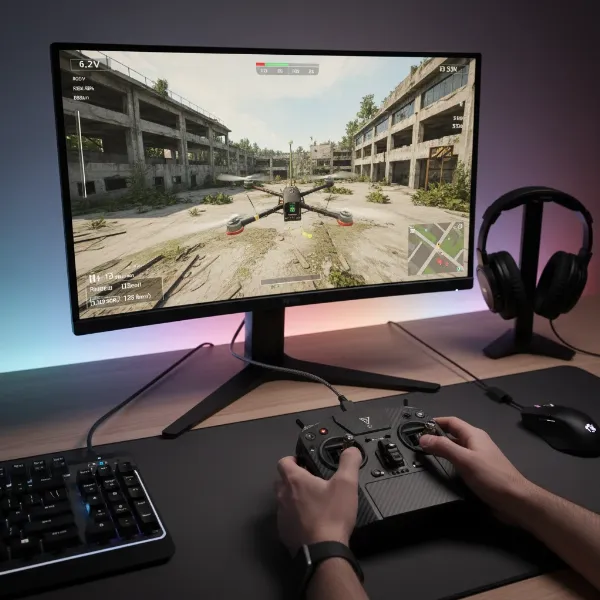 FPV drone simulator on a PC screen with a radio controller connected, showing immersive virtual flight.
Advantages and Disadvantages of Drone Simulators
Drone simulators offer numerous benefits, making them an indispensable tool for anyone serious about drone piloting. However, they also come with certain limitations that are important to acknowledge.
Advantages of Drone Simulators
|
Our Picks for the Best Drone in 2026
As an Amazon Associate I earn from qualifying purchases.
|
||
| Num | Product | Action |
|---|---|---|
| 1 | Drone with Camera for Adults 4K, Brushless Motor Drones for Kids Beginners, 60 Mins Flight, 130° Lens, FPV Foldable RC Quadcopter, Gesture Photography, Toys Gifts for Teen Boys Girls, Black |

|
| 2 | Drone with Camera - Drone with Screen on Controller for Beginners, Foldable Remote Control Quadcopter with Gesture Control, 3D Flip, One Key Start, Emergency Stop, 2 Batteries, Easier to use to use |
|
| 3 | GPS Drones with Camera for Adults 4K, FPV Drone Under 249g with Brushless Motor, GPS Auto Return, Follow Me, Circle Fly, Waypoint Flight, Foldable Drone with Gesture Control, 46Mins with 2 Batteries |
|
| 4 | Drone with Camera, Drones for Adults and Beginners, 1080P HD FPV Foldable Mini Drones for Kids, with 2 Batteries, Carrying Case, Trajectory Flight, Gravity Control, One-Key Takeoff/Landing, 360° Flip, Toys for Gift |
|
| 5 | DJI Mini 4K Camera Drone Combo, Drone with 4K UHD Camera for Adults, Under 249 g, 3-Axis Gimbal Stabilization, 10km Video Transmission, Auto Return, 2 Batteries for 62-Min Max Flight Time, QuickShots |
|
| 6 | DJI Mini 4K, Drone with 4K UHD Camera for Adults, Under 249 g, 3-Axis Gimbal Stabilization, 10km Video Transmission, Auto Return, Wind Resistance, 1 Battery for 31-Min Max Flight Time, Intelligent |
|
| 7 | DJI Air 3S Fly More Combo (RC 2 Screen Remote Controller), Drone with 1" CMOS Wide-Angle & Medium Tele Camera for Adults, 4K/60fps, Omnidirectional Sensing & 3 Batteries for Extended Flight Time |
|
| 8 | Drone with 1080P Camera - Foldable Remote Control Quadcopter with Gesture Control, 3D Flip, One Key Start, Emergency Stop, 2 Batteries, Easier to use, Toy for Kids Adult Beginners |
|
| 9 | DJI Mini 3 Fly More Combo (DJI RC), Drones with Camera for Adults 4K, 3 Batteries for 114-min Flight Time, Vertical Shooting, 32800ft (10km) Video Transmission, Lightweight Mini Drone for Beginners |
|
| 10 | Drone with Camera 1080P HD FPV Foldable Mini Drone for Beginners Kids Adults, Drone with One Key Take Off/Landing, Gesture Selfie, Altitude Hold, 3D Flip, Easy to Fly, 2 Batteries, Toys for Boys Girls |
|
The primary advantage of using a drone simulator is the ability to practice without fear of damage or financial loss. Beginners can learn basic controls and advanced pilots can attempt risky tricks, all within a virtual space where crashes have no real-world cost. Simulators allow for practice in diverse virtual environments and weather conditions, which might be impractical or unsafe in real life. Pilots can experiment with different drone setups, adjust PID settings, and customize components to understand their impact on flight characteristics. This virtual tinkering helps in optimizing real-world drone configurations. Additionally, simulators are available 24/7, offering unlimited practice time regardless of outdoor conditions, accelerating skill development significantly.
Disadvantages of Drone Simulators
Despite their realism, simulators cannot perfectly replicate the full sensory experience of actual drone flight. The lack of true G-forces, wind resistance feedback, and peripheral vision from FPV goggles means there’s always a slight disconnect from reality. Moreover, most high-quality simulators require a compatible radio controller, which is an additional upfront investment. While some free options exist, the best simulators often come with a purchase price. Finally, demanding simulators with high-fidelity graphics and physics can require a powerful PC, potentially limiting accessibility for users with older or less capable computers.
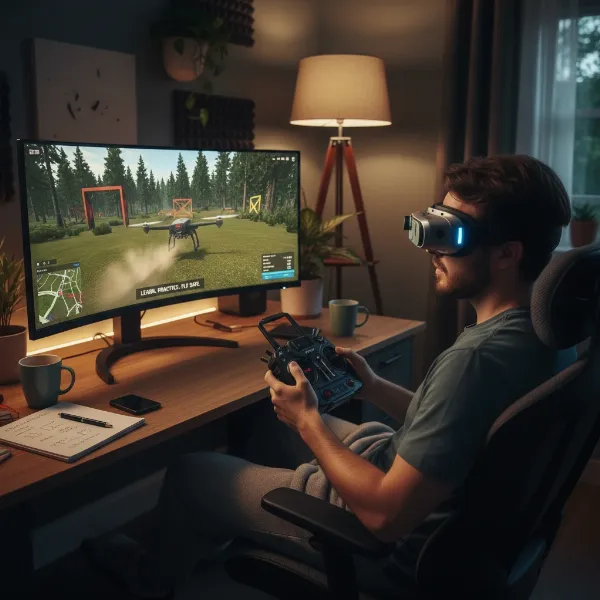 A person using a drone simulator to practice flying, highlighting the safety and cost-effectiveness of virtual training.
Popular PC Drone Simulators for Diverse Needs
The market offers a wide array of drone simulators, each with unique strengths tailored to different flying styles and skill levels. Here are some of the most popular and highly-regarded options for PC.
Liftoff
Often dubbed the “jack of all trades,” Liftoff is one of the most popular FPV simulators, suitable for pilots ranging from beginners to advanced. It boasts realistic physics, extensive customization options, and a vast community that contributes thousands of user-created tracks and drone models. Liftoff’s structured training program provides an excellent learning path, and its unique “parts system” allows for virtual drone building, mimicking real-life customization. While its graphics and menus might feel slightly dated compared to newer rivals, its comprehensive content and versatility make it a top recommendation.
VelociDrone
For those prioritizing hyper-realistic physics and competitive racing, VelociDrone stands out as a premier choice. It’s often recognized as the official racing platform for MultiGP, a leading drone racing league. VelociDrone’s flight modeling is incredibly accurate, making it ideal for serious racers. Its relatively simpler graphics also mean it performs well on lower-spec PCs, making it accessible to a broader audience. While primarily racing-focused, it offers a “Nemesis” mode where you can race against recordings of other pilots’ best times.
DRL SIM (Drone Racing League Simulator)
The official simulator of the Drone Racing League, DRL SIM, provides an exceptional training ground for aspiring drone racers. It features official DRL tracks and offers a structured training program that guides pilots from basic techniques to advanced racing maneuvers. The simulator excels in competitive multiplayer and engaging game modes. However, it’s primarily geared towards racing, and some users have noted its graphics and physics feel less current compared to the newest simulators, with recent reports indicating server connectivity issues impacting playability.
Uncrashed
If stunning visuals and immersive freestyle flying are your priorities, Uncrashed is an excellent choice. Released in 2021, it offers expansive environments and high-quality graphics, making it a dream for freestyle and cinematic pilots. Uncrashed provides a variety of unique maps with engaging activities, such as chasing cars, and features Steam Workshop integration for community content. While its physics are considered good enough for mastering FPV, some advanced users might find them less realistic than VelociDrone, and it lacks a structured beginner program.
TRYP FPV
Another top contender for freestyle and cinematic flying, TRYP FPV, released in 2022, is celebrated for its incredible graphics and detailed environments. It offers rich freestyle features, including moving objects to follow, enhancing cinematic practice. However, its demanding visuals mean it requires a high-performance gaming PC to run smoothly, and some users have reported optimization issues. Like Uncrashed, it might present a steeper learning curve for absolute beginners due to the lack of a comprehensive training program.
FPV Freerider (Original and Recharged)
FPV Freerider and its improved version, FPV Freerider Recharged, are popular for their simplicity and accessibility, especially for beginners. These simulators offer a straightforward entry point into FPV flying with basic, yet effective, flight physics. They are known for light system requirements, allowing them to run on older or less powerful computers, and are compatible with a wide range of controllers. While they lack the extensive features, high-fidelity graphics, and depth of content found in premium simulators, they are excellent for getting initial stick time.
Free Simulators: FPV.SkyDive & Tiny Whoop GO
For those looking to dip their toes into drone simulation without an initial investment, free options like FPV.SkyDive and Tiny Whoop GO provide valuable entry points. FPV.SkyDive offers basic freestyle, racing, and multiplayer modes, though additional maps and features often require purchase. Tiny Whoop GO is specifically designed for practicing with micro drones, offering authentic flight characteristics for this popular class, complete with indoor environments. While free simulators may have limited features and less refined physics compared to paid counterparts, they are perfect for getting a feel for FPV flight and testing controller compatibility.
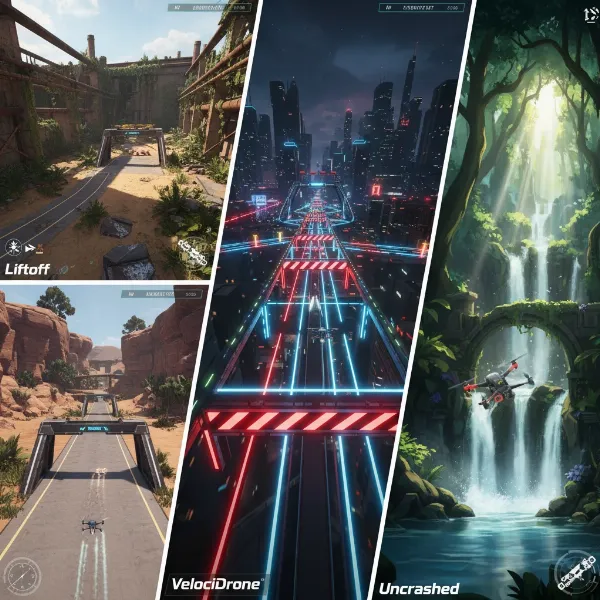 A vibrant screenshot showcasing different FPV drone simulators' environments and drone models, representing diverse flying styles.
Comparison Table: Popular PC Drone Simulators
| Simulator | Best For | Physics Realism | Graphics Quality | Price Range | Key Features | PC Requirements |
|---|---|---|---|---|---|---|
| Liftoff | All-around, Beginners, Freestyle, Racing | High | Good | $19.99 | Vast community content, drone customization, structured training, propeller damage simulation | Moderate to High |
| VelociDrone | Racing, Low-spec PCs, Hyper-realistic physics | Very High | Basic | $19.99 | Official MultiGP platform, Nemesis mode, track editor | Low |
| DRL SIM | Racing, Structured Training | Moderate | Moderate | $9.99 | Official DRL tracks, comprehensive training, competitive multiplayer (server issues reported) | Moderate |
| Uncrashed | Freestyle, Cinematic, High-fidelity visuals | High | Very High | $14.99 | Stunning environments, engaging activities, Steam Workshop, multiplayer | High |
| TRYP FPV | Freestyle, Cinematic, Immersive visuals | High | Very High | $14.99 | Beautiful maps, moving objects, rich freestyle features | Very High |
| FPV Freerider | Beginners, Basic Practice, Budget-friendly | Moderate | Basic | $4.99 – $9.99 | Simple setup, light system requirements, wide controller compatibility | Very Low |
| FPV.SkyDive | Free entry, Basic Freestyle/Racing | Moderate | Moderate | Free (with paid content) | Plug-and-play, varied scenarios, multiplayer | Low to Moderate |
| Liftoff: Micro Drones | Tiny Whoop & Micro Drones | High | Good | $5.99 | Specialized for micro drones, immersive indoor environments | Low to Moderate |
| Tiny Whoop GO | Free Tiny Whoop Practice | Moderate | Basic | Free | Authentic Tiny Whoop feel, track builder (free version might be limited) | Very Low |
How to Choose the Right Drone Simulator for Your Needs
Selecting the ideal drone simulator involves considering several factors that align with your personal goals and resources. Making an informed decision will maximize your training effectiveness and enjoyment.
First, identify your primary purpose for using a simulator. Are you aiming to become an FPV racer, master cinematic drone movements, practice freestyle tricks, or simply learn the basic controls of a general-purpose drone? Simulators like VelociDrone or DRL SIM are excellent for racing, while Uncrashed and TRYP FPV excel in freestyle and cinematic scenarios. Liftoff offers a balanced experience for various styles.
Next, consider your budget. While some excellent free options exist, premium simulators generally offer more realistic physics, better graphics, and a wider array of features. If you’re unsure, starting with a free simulator like FPV.SkyDive or a low-cost option like FPV Freerider can be a good way to test the waters before investing more.
Check your PC specifications. Graphics-intensive simulators such as Uncrashed or TRYP FPV demand a powerful gaming PC to run smoothly. If you have an older or less powerful computer, simulators like VelociDrone or FPV Freerider, which have lower system requirements, might be more suitable. Running a simulator on an underpowered machine can lead to lag and an unrealistic flying experience.
Finally, ensure controller compatibility. Most effective simulator training requires a dedicated radio transmitter, preferably the one you intend to use for real drones. Ensure your chosen simulator supports your radio controller, typically through a USB connection. Some simulators also support popular gaming controllers, but a radio transmitter offers a more authentic and skill-transferable experience. Reading community reviews can also provide valuable insights into a simulator’s performance and user satisfaction.
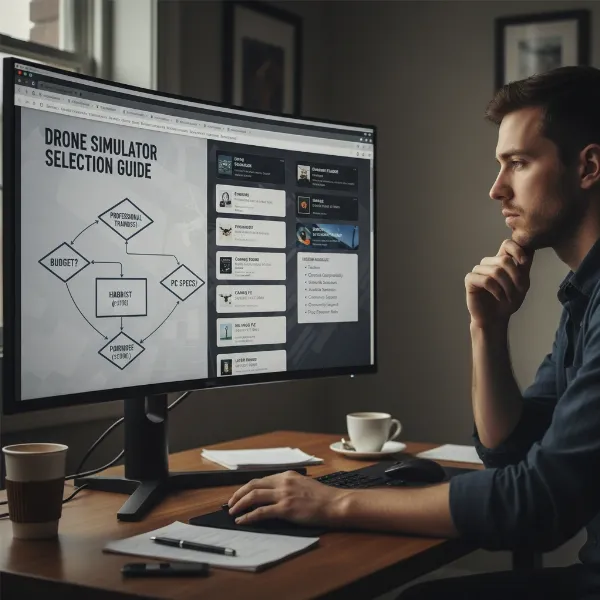 A person thoughtfully considering options for drone simulators, reflecting on factors like purpose, budget, and PC specs.
Essential Equipment for Your Drone Simulator Setup
To get the most out of your drone simulator practice, a proper setup is crucial. While the simulator software itself is key, the right hardware will significantly enhance your learning experience and skill transfer to real-world flying.
The PC itself is fundamental. As discussed, the more graphically demanding simulators will require a decent CPU, GPU, and RAM to ensure smooth frame rates and minimize latency. For a realistic experience, aiming for frame rates equal to or greater than your monitor’s refresh rate is recommended. If your computer struggles, lowering graphics settings can often help.
A radio transmitter is the most highly recommended piece of equipment. Using the same type of controller you would use for a real drone helps build accurate muscle memory, ensuring that the skills you develop virtually translate effectively to actual flight. Most modern radio transmitters connect easily to your PC via a USB-C cable and are recognized as a gaming joystick. Many pilots create a dedicated profile on their radio for simulator use, disabling internal and external RF modules to conserve battery life. While a dedicated USB gaming controller can be a cheaper alternative, it won’t offer the same tactile feedback or skill transfer as a true radio transmitter.
Finally, FPV goggles are an optional but immersive addition. While not strictly necessary (a standard monitor often provides better frame rates and is easier on the eyes for long sessions), some FPV goggles with HDMI input can connect to your computer, allowing you to practice with the same visual setup you’d use in real flight. This can help beginners acclimate to the FPV perspective from the very start.
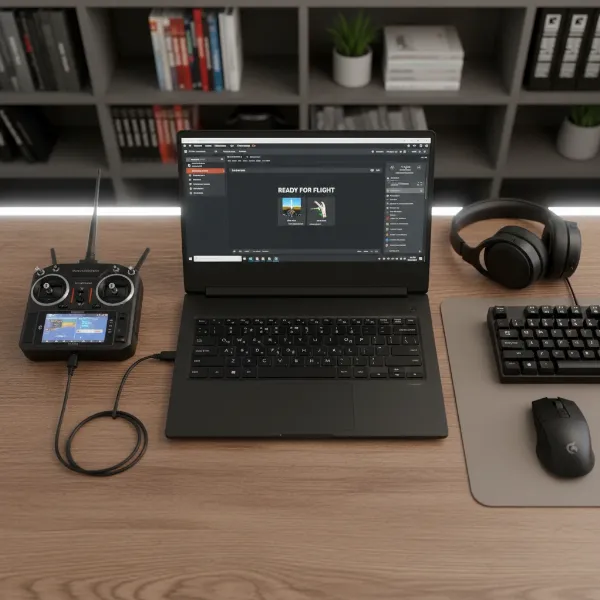 A clear arrangement of essential equipment for drone simulation: PC, radio transmitter, and USB cable.
Tips for Effective Drone Simulator Practice
To truly maximize your learning and skill development with a drone simulator, a disciplined and focused approach is essential. Treat your simulator sessions as real training.
Firstly, start slow and master the basics. For beginners, begin with open maps and focus on fundamental movements: arming and disarming your drone, hovering steadily, flying in straight lines, executing smooth turns, and practicing controlled landings. Don’t rush into complex maneuvers before you have a solid grasp of these foundational skills. Many advanced pilots can perform impressive tricks but struggle with basic landings without crashing, highlighting the importance of thorough fundamental practice.
Set up your controller correctly. Fine-tune your simulator’s settings to match your real-world drone’s rates and feel as closely as possible. Adjusting PIDs, rates, and even gravity settings can make a significant difference in realism. If you don’t yet have a real drone, consider using default settings from a popular real-world setup or copying proven settings from experienced pilots. Also, maintain proper posture and ergonomics during practice; if you fly standing up in real life, do the same in the simulator to reinforce muscle memory.
Focus on specific skills during each session. Instead of aimlessly flying, dedicate your time to improving one or two particular aspects, such as flying through gates, mastering a specific freestyle trick like a Split-S, or navigating challenging environments. Practice regularly, even for short durations. Consistent, focused practice sessions are far more effective than infrequent, long ones.
Finally, utilize the simulator’s features. Many simulators offer track builders, diverse environments, and even replay systems. Experiment with custom tracks to challenge yourself, explore different scenarios, and review your flights to identify areas for improvement. Some simulators even offer dedicated training modules that guide you through progressive lessons. Embrace these tools to continuously push your boundaries and refine your drone piloting skills.
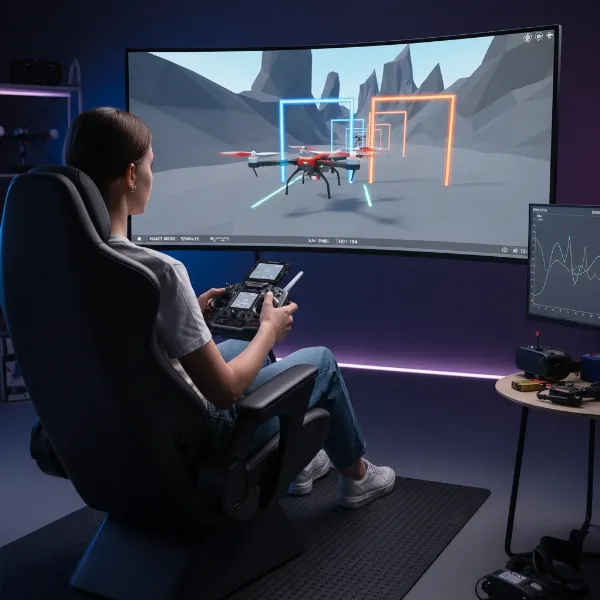 A person actively practicing drone flying on a simulator, demonstrating good posture and focused training.
Conclusion
Drone simulators have revolutionized how pilots learn and refine their flying skills, offering a safe, cost-effective, and highly accessible training ground. From mastering basic controls to perfecting advanced freestyle maneuvers, these PC-based platforms provide an invaluable bridge to real-world flight expertise. By choosing the right simulator that aligns with your specific goals, budget, and PC capabilities, and by committing to consistent, focused practice, you can dramatically accelerate your journey to becoming a confident and skilled drone pilot. Whether you aim for competitive racing, stunning aerial cinematography, or simply the joy of flight, a good drone simulator is an investment that pays dividends in skill, safety, and confidence.
Which simulator will you try first to elevate your drone flying skills?
Frequently Asked Questions
Do I need a special controller for drone simulators?
While some simulators support standard gaming controllers, it is highly recommended to use a radio transmitter, preferably the one you plan to use for a real drone. This helps build authentic muscle memory for effective skill transfer. Most connect via a USB cable.
Are free drone simulators any good?
Yes, free drone simulators like FPV.SkyDive or Tiny Whoop GO can be excellent starting points. They allow you to experience FPV flying and test compatibility without upfront cost. However, they often have fewer features, less refined physics, or simpler graphics compared to paid alternatives.
Can drone simulators teach me to fly real drones?
Absolutely. Drone simulators are incredibly effective for teaching the fundamentals of drone control, building muscle memory, and practicing advanced maneuvers. While they can’t fully replicate every sensory aspect of real flight, the skills acquired in a good simulator transfer directly to flying physical drones.
What’s the best drone simulator for beginners?
For beginners, Liftoff is often recommended as an all-around excellent choice due to its balanced physics, diverse content, and structured training programs. FPV Freerider is also a good, simpler option with lower system requirements, making it very accessible.
How realistic are drone simulators?
The realism of drone simulators varies. Top-tier simulators like VelociDrone are praised for their hyper-realistic physics, making them feel very close to flying a real FPV drone. Others, like Uncrashed and TRYP FPV, prioritize stunning graphics for an immersive experience. While no simulator is a 100% perfect replica, they are sophisticated enough to provide highly effective training.