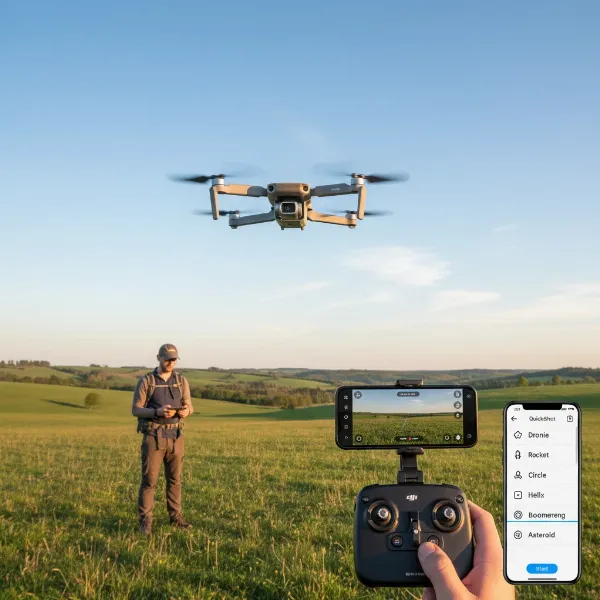
Imagine capturing breathtaking, cinematic drone footage without ever touching the controls. The dream of a personal aerial film crew is now a reality for many drone enthusiasts and professionals. DJI’s ActiveTrack 360, a revolutionary intelligent flight mode, promises to unlock unparalleled creative freedom, allowing your drone to autonomously follow subjects with impressive precision. But just how smart is this technology, and can you truly trust it to fly on its own? This comprehensive guide will demystify ActiveTrack 360, exploring its features, capabilities, and the nuanced degree of autonomy it offers.
ActiveTrack 360: Unveiling DJI’s Autonomous Tracking Technology
ActiveTrack 360 represents a significant leap forward in drone intelligent tracking, building upon years of innovation from DJI. At its core, ActiveTrack 360 is a sophisticated system that enables compatible DJI drones to identify, lock onto, and follow a designated subject, executing complex flight paths with minimal pilot input. It’s more than just a “follow me” mode; it’s an intelligent co-pilot designed to enhance aerial videography and photography.
This advanced technology integrates several key components: sophisticated visual recognition algorithms to accurately detect and track subjects, omnidirectional obstacle sensing for enhanced safety, and precise GPS data for stable positioning. The “360” in its name signifies the drone’s ability to orbit or follow a subject from any angle, providing dynamic and previously challenging shots with ease. It evolves from earlier ActiveTrack versions by offering greater control over the drone’s path around the subject and more intelligent autonomous decision-making.
The Power of Autonomy: How ActiveTrack 360 Works
ActiveTrack 360 operates through a seamless blend of advanced software and cutting-edge hardware, granting your drone a remarkable degree of independence in the air. Once a subject is selected, the drone’s visual sensors and AI processors continuously analyze its movement and surrounding environment, predicting its trajectory and adjusting the flight path in real-time. This sophisticated recognition allows the drone to differentiate the subject from its background, maintaining a lock even amidst visual clutter.
At the heart of its operation are its distinct modes. The “Auto” mode exemplifies ActiveTrack 360’s full autonomy, where the drone intelligently navigates, plans its flight path, and actively avoids obstacles as it follows the subject through open spaces. This hands-free experience lets the pilot focus entirely on the subject and the desired shot, rather than complex flight maneuvers. Additionally, ActiveTrack 360 incorporates manual control elements through an intuitive touch wheel interface. This allows pilots to dictate the drone’s exact position around the subject, drawing custom paths or choosing specific angles (like tracing behind or moving parallel), blending autonomous flight with creative human input. While highly autonomous, especially in “Auto” mode, pilots should always be prepared to take manual control, as environmental factors and unpredictable situations can still challenge the system.
Beyond the Basics: Popular Applications of ActiveTrack 360
The versatility of ActiveTrack 360 opens up a world of creative possibilities, transforming how individuals and professionals capture dynamic aerial footage. For solo content creators and vloggers, it’s a game-changer, acting as a personal camera operator that can follow them through various scenes, from a casual walk in the park to a more adventurous outdoor activity. This eliminates the need for a second person to pilot the drone, allowing for truly hands-free filmmaking.
ActiveTrack 360 particularly shines in action sports. Imagine effortlessly documenting your biking, running, skiing, or skateboarding adventures from a unique aerial perspective, with the drone autonomously keeping you perfectly framed. Beyond personal use, this technology has significant implications for professional fields. Real estate agents can showcase properties with fluid, sweeping shots of an individual moving through the space, while event organizers can capture dynamic footage of participants without dedicated drone pilots constantly adjusting flight paths. Its ability to perform complex maneuvers while maintaining a subject lock makes it an invaluable tool for adding a cinematic flair to any project, from travel documentaries to promotional videos.
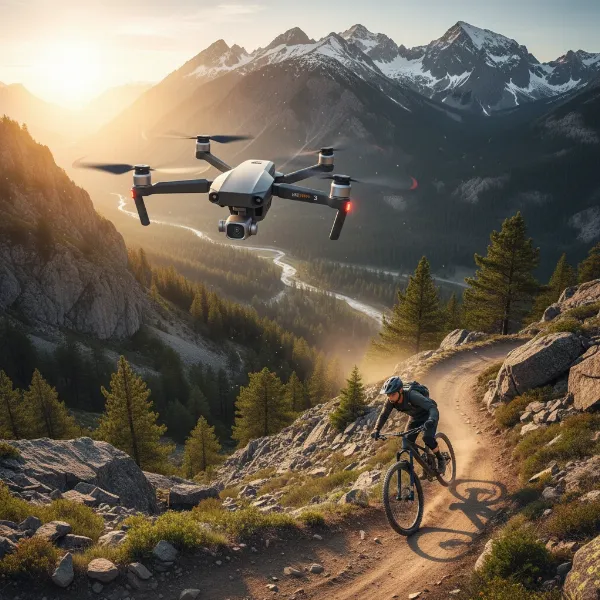 DJI drone with ActiveTrack 360 following a person on a mountain bike through a dynamic landscape
Navigating the Options: ActiveTrack 360 vs. Other Tracking Modes
DJI offers a suite of intelligent tracking features, and understanding how ActiveTrack 360 fits within this ecosystem is crucial for maximizing your drone’s potential. While ActiveTrack is a broad term encompassing subject tracking, ActiveTrack 360 represents its most evolved form, offering enhanced capabilities, particularly in autonomy and control. Older versions of ActiveTrack (like ActiveTrack 5.0) provided robust tracking but often with more limited flexibility in path planning or angle control around the subject.
FocusTrack, an overarching term found in some DJI apps, bundles several intelligent tracking features: Spotlight, Point of Interest (POI), and ActiveTrack. Spotlight keeps the camera locked on a subject while the pilot manually flies the drone. POI allows the drone to autonomously circle a fixed point or a moving subject. ActiveTrack 360 integrates and expands upon these, offering a 360-degree interactive interface to define tracking paths and incorporating advanced obstacle avoidance for greater autonomy. The table below highlights key differences:
| Feature | ActiveTrack (Older Versions) | ActiveTrack 360 | Spotlight | Point of Interest (POI) |
|---|---|---|---|---|
| Autonomy Level | High (following) | Very High (following + path planning + auto obstacle avoidance) | Low (camera tracking, manual flight) | High (circling a point/subject) |
| Tracking Flexibility | Trace, Parallel modes | 360-degree custom paths, Trace, Parallel, Auto Mode | Camera follows subject | Circles subject/point |
| Obstacle Avoidance | Dependent on drone’s sensors | Omnidirectional (on compatible drones) | Dependent on drone’s sensors | Dependent on drone’s sensors |
| User Control | Limited path adjustment | Intuitive touch wheel for precise path/angle control | Manual drone flight | Speed and radius adjustment |
| Best For | Consistent follow shots | Dynamic, cinematic, hands-free tracking | Keeping subject in frame during manual flight | Orbiting shots |
Choosing Your Wingman: Selecting a Drone for ActiveTrack 360
To fully experience the power of ActiveTrack 360, selecting the right DJI drone is paramount. Not all DJI drones are equipped with this latest iteration of intelligent tracking. Currently, ActiveTrack 360 is a prominent feature on newer models such as the DJI Mini 4 Pro, DJI Air 3, and the DJI Mini 5 Pro. These drones are engineered with the necessary hardware and software to support its advanced capabilities.
When choosing a drone for optimal ActiveTrack 360 performance, consider these crucial factors:
- Omnidirectional Obstacle Sensing: This is vital. Drones like the Mini 4 Pro and Mini 5 Pro boast omnidirectional sensors, allowing them to detect and avoid obstacles in all directions. This feature is fundamental to the “Auto” mode’s safe and autonomous flight.
- Processing Power: The drone’s internal processing capabilities directly impact its ability to analyze visual data, predict subject movement, and execute complex maneuvers smoothly. Newer models with more powerful processors will offer a more reliable and responsive tracking experience.
- Camera Quality: While ActiveTrack 360 focuses on flight, the ultimate goal is stunning footage. Ensure your chosen drone offers the desired video resolution (e.g., 4K/60fps HDR) and color profiles for cinematic results.
- Flight Time and Range: Longer flight times mean more opportunities for extended tracking shots, while a robust transmission system ensures a stable connection, especially when the drone is further away.
- Portability vs. Capability: Drones like the Mini 4 Pro offer ActiveTrack 360 in a compact, sub-250g package, ideal for travel. Larger drones like the Air 3 might offer more stability in challenging conditions, but with greater weight.
By carefully considering these aspects, you can select a drone that not only supports ActiveTrack 360 but excels at delivering the autonomous tracking performance you desire.
Leading the Pack: DJI and ActiveTrack 360
DJI has long been the dominant force in the consumer and prosumer drone market, largely due to its relentless innovation in flight technology and intelligent features. ActiveTrack 360 is a testament to this leadership, showcasing the company’s commitment to pushing the boundaries of what drones can autonomously achieve. The continuous evolution of their tracking systems, from the early ActiveTrack modes to the sophisticated 360-degree capabilities, demonstrates DJI’s dedication to making complex aerial videography accessible to a broader audience.
The introduction of ActiveTrack 360 on drones like the DJI Mini 4 Pro, DJI Air 3, and the latest DJI Mini 5 Pro highlights DJI’s strategy of integrating advanced features across its product lines, allowing even compact, beginner-friendly drones to perform highly intelligent maneuvers. The Mini 5 Pro, for example, features an upgraded ActiveTrack 360, enhancing tracking performance with increased speed in open areas and intelligent detection of various sports scenarios, further solidifying DJI’s position as a pioneer in drone autonomy. This focus on intuitive, powerful, and safe autonomous flight features distinguishes DJI in a competitive market, empowering users to capture professional-grade content with unprecedented ease.
Responsible Piloting: Navigating ActiveTrack 360 Safely
While ActiveTrack 360 offers an impressive degree of autonomy, responsible piloting remains paramount. Even with advanced obstacle avoidance systems, drone technology is not infallible, and human oversight is crucial for safe operation. Always remember that you, as the pilot, are ultimately responsible for the drone’s flight.
Here are key safety considerations when using ActiveTrack 360:
- Maintain Visual Line of Sight (VLOS): Always keep your drone within your visual line of sight. This allows you to quickly intervene if the drone encounters an unexpected obstacle or deviates from its intended path.
- Understand Environmental Limitations: While omnidirectional obstacle sensing is powerful, hard-to-see objects like thin power lines, small branches, or reflective surfaces can still pose a challenge. Strong winds can also affect tracking accuracy and stability. Choose open environments with clear visibility for the best results.
- Be Ready to Intervene: Familiarize yourself with the “pause” or “stop” button on your controller. In “Auto” mode, you might have limited control over altitude, making it essential to be ready to halt the tracking function immediately if needed.
- Check Local Regulations: Even when flying autonomously, all local drone laws and regulations apply. Be aware of no-fly zones, altitude restrictions, and privacy concerns in your area.
- Subject Visibility: Ensure your subject stands out from the background in terms of color and contrast. Poor subject definition can cause the drone to lose its tracking lock.
By adhering to these principles, you can enjoy the creative benefits of ActiveTrack 360 while ensuring a safe and responsible flying experience for yourself and those around you.
Maximizing Your Shots: Tips for Using and Maintaining ActiveTrack 360
To get the most out of your drone’s ActiveTrack 360 capabilities, a combination of preparation, technique, and maintenance is essential. By following these tips, you can elevate your autonomous tracking shots from good to truly exceptional.
Firstly, pre-flight checks are non-negotiable. Always ensure your drone’s batteries are fully charged, propellers are undamaged, and firmware is up-to-date. A strong GPS signal is also crucial for stable and accurate tracking. Secondly, select your environment wisely. Open spaces with minimal visual clutter provide the best conditions for the drone’s vision system to maintain a lock on the subject. Avoid areas with dense foliage, numerous power lines, or highly reflective surfaces that could confuse the sensors.
When initiating ActiveTrack 360, frame your subject clearly on the screen and accurately draw the tracking box. Experiment with the “Auto” mode for fully autonomous cinematic sequences, but also utilize the touch wheel interface to manually guide the drone’s position around the subject, creating custom, dynamic movements. Don’t be afraid to blend manual input with autonomous tracking; you can often momentarily take control to adjust the drone’s position, then release the sticks to let ActiveTrack 360 resume its intelligent flight. For maintenance, regularly clean your drone’s vision sensors and camera lens to ensure optimal performance. Keep an eye on DJI’s updates, as firmware improvements often enhance tracking accuracy and introduce new features. Practicing in a safe, controlled environment will build confidence and help you master this powerful technology.
Enhance Your Flight: Essential Accessories for ActiveTrack 360
While your drone is the star of the show, a few essential accessories can significantly enhance your ActiveTrack 360 experience, extending flight times, improving footage quality, and ensuring greater safety. Investing in these items can make a noticeable difference in your ability to capture compelling, cinematic content.
- Extra Intelligent Flight Batteries: Autonomous tracking often involves longer flight times as you experiment with different angles and movements. Having multiple fully charged batteries is crucial to extend your creative sessions without interruption.
- High-Capacity, High-Speed Memory Cards: Capturing 4K HDR video with ActiveTrack 360 requires ample storage and fast write speeds. Ensure you have several large-capacity (e.g., 128GB or 256GB) U3/V30 rated microSD cards to avoid running out of space or experiencing dropped frames.
- ND (Neutral Density) Filters: These are indispensable for achieving cinematic motion blur in bright conditions. ND filters reduce the amount of light entering the camera, allowing you to use slower shutter speeds (typically double your frame rate) for smoother, more professional-looking footage.
- Propeller Guards: Especially if you’re flying in slightly more complex environments or are still new to drone piloting, propeller guards can offer an extra layer of protection against minor collisions, preventing damage to your drone and surroundings.
- Drone Carrying Case/Backpack: Protecting your valuable equipment is key. A dedicated carrying case or backpack designed for your drone ensures safe transport and storage, protecting it from bumps, dust, and moisture, which is vital for maintaining the performance of sensitive sensors.
These accessories aren’t just add-ons; they are tools that empower you to unlock the full potential of ActiveTrack 360, allowing for longer, safer, and more visually stunning flights.
Conclusion
DJI’s ActiveTrack 360 has undeniably revolutionized autonomous drone tracking, transforming how we capture dynamic aerial footage. With its intelligent subject recognition, omnidirectional obstacle avoidance, and versatile control options, it offers an unprecedented degree of hands-free operation, making professional-grade cinematic shots accessible to a wider audience. While it boasts remarkable autonomy, it’s a powerful tool best utilized when pilots understand its capabilities and limitations, maintaining a watchful eye and readiness to intervene. This balance of advanced automation and human oversight ensures both creative freedom and safe flight.
ActiveTrack 360 is more than just a feature; it’s a creative partner that empowers you to tell your story from a new perspective. Are you ready to unleash the full potential of your drone with ActiveTrack 360?
Frequently Asked Questions
How does ActiveTrack 360 differ from older ActiveTrack versions?
|
Our Picks for the Best Drone in 2026
As an Amazon Associate I earn from qualifying purchases.
|
||
| Num | Product | Action |
|---|---|---|
| 1 | DJI Mini 4K Camera Drone Combo, Drone with 4K UHD Camera for Adults, Under 249 g, 3-Axis Gimbal Stabilization, 10km Video Transmission, Auto Return, 2 Batteries for 62-Min Max Flight Time, QuickShots |

|
| 2 | Drone with Camera for Adults 4K, Brushless Motor Drones for Kids Beginners, 60 Mins Flight, 130° Lens, FPV Foldable RC Quadcopter, Gesture Photography, Toys Gifts for Teen Boys Girls, Black |
|
| 3 | Drone with Camera, Drones for Adults and Beginners, 1080P HD FPV Foldable Mini Drones for Kids, with 2 Batteries, Carrying Case, Trajectory Flight, Gravity Control, One-Key Takeoff/Landing, 360° Flip, Toys for Gift |
|
| 4 | Drone with 1080P Camera - Foldable Remote Control Quadcopter with Gesture Control, 3D Flip, One Key Start, Emergency Stop, 2 Batteries, Easier to use, Toy for Kids Adult Beginners |
|
| 5 | DJI Mini 4K, Drone with 4K UHD Camera for Adults, Under 249 g, 3-Axis Gimbal Stabilization, 10km Video Transmission, Auto Return, Wind Resistance, 1 Battery for 31-Min Max Flight Time, Intelligent |
|
| 6 | GPS Drones with Camera for Adults 4K, FPV Drone Under 249g with Brushless Motor, GPS Auto Return, Follow Me, Circle Fly, Waypoint Flight, Foldable Drone with Gesture Control, 46Mins with 2 Batteries |
|
| 7 | Drone with Camera - Drone with Screen on Controller for Beginners, Foldable Remote Control Quadcopter with Gesture Control, 3D Flip, One Key Start, Emergency Stop, 2 Batteries, Easier to use to use |
|
| 8 | DJI Air 3S Fly More Combo (RC 2 Screen Remote Controller), Drone with 1" CMOS Wide-Angle & Medium Tele Camera for Adults, 4K/60fps, Omnidirectional Sensing & 3 Batteries for Extended Flight Time |
|
| 9 | DJI Mini 3 Fly More Combo (DJI RC), Drones with Camera for Adults 4K, 3 Batteries for 114-min Flight Time, Vertical Shooting, 32800ft (10km) Video Transmission, Lightweight Mini Drone for Beginners |
|
| 10 | Drone with Camera 1080P HD FPV Foldable Mini Drone for Beginners Kids Adults, Drone with One Key Take Off/Landing, Gesture Selfie, Altitude Hold, 3D Flip, Easy to Fly, 2 Batteries, Toys for Boys Girls |
|
ActiveTrack 360 offers enhanced autonomy and control compared to its predecessors. Key improvements include 360-degree subject tracking with a touch wheel interface for custom path planning, and advanced omnidirectional obstacle avoidance, particularly in its “Auto” mode, allowing for more dynamic and safer autonomous flights.
Which DJI drones support ActiveTrack 360?
Currently, ActiveTrack 360 is available on newer DJI drone models, including the DJI Mini 4 Pro, DJI Air 3, and the latest DJI Mini 5 Pro. These drones feature the necessary hardware and software for its advanced tracking and obstacle avoidance capabilities.
Can ActiveTrack 360 avoid all obstacles autonomously?
While ActiveTrack 360 features advanced omnidirectional obstacle sensing, it is not infallible. It can intelligently navigate around many obstacles, but thin objects like power lines, small branches, or highly reflective surfaces can still be challenging for the system to detect. Pilot vigilance is always recommended.
Is ActiveTrack 360 suitable for beginners?
Yes, ActiveTrack 360 is designed to be user-friendly, making complex aerial tracking accessible even for beginners. Its “Auto” mode simplifies flight, allowing new pilots to focus on composition. However, beginners should practice in open, safe environments and always be prepared to take manual control.
What are the ideal conditions for using ActiveTrack 360?
For optimal performance, ActiveTrack 360 works best in open environments with clear visibility and a strong GPS signal. The subject should have good contrast against the background to ensure accurate tracking. Avoid strong winds and areas with numerous hard-to-detect obstacles.
Can I manually control the drone while ActiveTrack 360 is active?
Yes, ActiveTrack 360 allows for a blend of autonomous and manual control. While in tracking mode, you can use the remote controller’s sticks to adjust the drone’s position or path around the subject. You can also use the touch wheel interface to refine the drone’s angle and distance relative to the subject.
Does ActiveTrack 360 work with vehicles as well as people?
Yes, ActiveTrack 360 is capable of tracking various subjects, including both people and vehicles. Its intelligent recognition algorithms are designed to lock onto and follow different types of moving targets, making it versatile for a wide range of content creation scenarios.