Let’s be real, we’ve all been there. You’ve just wrapped up an epic flight—maybe you were chasing a sunset over a dusty field or capturing waves crashing on a sandy beach. The footage is incredible, but your drone looks like it went through a mud-wrestling match. Now you’re wondering How To Clean A Drone without damaging its delicate electronics. Don’t worry, it’s easier than you think, and it’s one of the most crucial parts of responsible drone ownership. A clean drone isn’t just about looking good; it’s about ensuring safety, performance, and a longer lifespan for your high-flying investment.
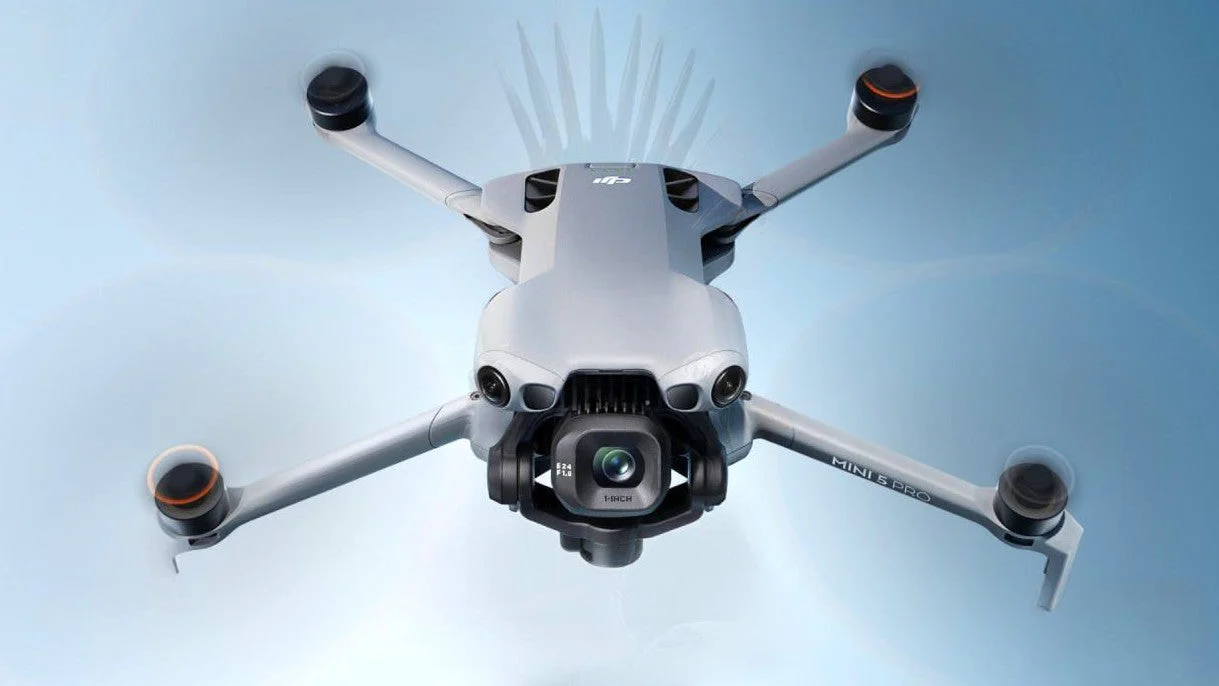
Why Bother Cleaning Your Drone? More Than Just Looks
It’s tempting to pack your drone away right after a flight, but taking just ten minutes for a proper wipe-down can save you a world of trouble. Think of it less as a chore and more as a vital part of your post-flight routine.
- Performance and Stability: Dust, grit, and grime can get into the motors, causing friction and reducing their efficiency. This can lead to unstable flights, reduced battery life, and even motor failure over time.
- Sensor Accuracy: Your drone is packed with sophisticated sensors—visual, infrared, ultrasonic—that help it avoid obstacles and hover steadily. A layer of dirt or a stray water spot can blind these sensors, leading to erratic behavior or a crash.
- Image Quality: This one’s a no-brainer. A smudge or speck of dust on your camera lens can ruin an otherwise perfect shot. Keeping that lens pristine is non-negotiable for any aerial photographer or videographer.
- Preventing Long-Term Damage: Grime, especially salt from a beach flight or acidic residue from bugs, can be corrosive. Over time, this can degrade the drone’s shell, weaken propellers, and damage sensitive electronic contacts.
“A pilot’s relationship with their aircraft begins on the ground. Treating your drone with respect through regular cleaning and maintenance isn’t just good practice—it’s a core element of airmanship that translates directly to safer, more reliable flights.” – Dr. Alistair Finch, Aerospace Maintenance Specialist.
Your Drone Cleaning Toolkit: The Right Gear for the Job
You don’t need a high-tech lab to clean your drone. In fact, you probably have most of these items around the house. The key is to use the right tools and avoid harsh chemicals or materials that could cause damage.
What tools do I need to clean my drone?
Gather a simple toolkit for effective drone cleaning. You will need a few microfiber cloths, a soft-bristled brush, a can of compressed air, and some isopropyl alcohol (90% or higher is ideal). These items will handle almost any cleaning situation safely.
Here’s your essential checklist:
- Microfiber Cloths: Get a few. They are soft, lint-free, and perfect for wiping down the drone’s body and propellers without scratching them.
- Soft-Bristled Brush: An old, soft toothbrush or a small paintbrush works wonders for getting dust out of tight crevices, vents, and around the motor housings.
- Compressed Air: A can of compressed air is your best friend for blasting dust from hard-to-reach places, like inside the motor bells or sensor housings. Always use it in short bursts to avoid moisture buildup.
- Isopropyl Alcohol (99% if possible): This is the secret weapon. It cleans effectively, evaporates quickly, and is safe for electronics. Use it sparingly on a cloth or cotton swab, never directly on the drone.
- Cotton Swabs or Lens Wipes: Perfect for precision work, especially when cleaning the camera lens and other small sensors.
The Ultimate Guide on How to Clean a Drone
Alright, you’ve got your tools. Now let’s get down to business. Follow these steps for a thorough, safe cleaning process. Always start by powering down your drone and removing the battery.
1. Start with the Big Picture: The Frame and Arms
Begin with a general inspection. Use your soft-bristled brush to gently sweep away any loose dirt, grass, or sand from the main body, arms, and landing gear. For more stubborn grime, lightly dampen a corner of your microfiber cloth with water or a tiny bit of isopropyl alcohol and gently wipe the surface. Dry it immediately with a dry section of the cloth.
2. Focus on the Powerhouse: Motors and Propellers
Your motors are critical and surprisingly delicate.
- Motors: Use the compressed air to blow out any dust or debris from inside the motor housings and vents. Hold the can upright and use short, controlled bursts. Crucially, do not spin the motors with the compressed air, as this can generate a small electrical charge and potentially damage the ESCs (Electronic Speed Controllers). Use your soft brush for any stubborn particles.
- Propellers: Remove the propellers from the drone. This makes them easier to clean and gives you better access to the motors. Wipe them down with a microfiber cloth. If they have bug splatters or caked-on mud, a little isopropyl alcohol on the cloth will cut right through it. While you have them off, inspect them for any nicks, cracks, or stress marks. A damaged prop is a major safety risk. Learn more about when to replace them in our [internal link: Complete Guide to Drone Propeller Maintenance].
3. The Eyes of the Sky: Camera Lens and Gimbal
This is where you need to be extra gentle. The camera lens and gimbal are the most sensitive and expensive parts of your drone.
How do I safely clean my drone’s camera lens?
To safely clean your drone’s camera lens, start by using a can of compressed air or a lens blower to remove any loose dust particles. Then, apply a single drop of lens cleaning solution or 99% isopropyl alcohol to a lens wipe or a dedicated microfiber cloth and wipe the lens in a gentle, circular motion.
Never spray any liquid directly onto the lens or gimbal. Use a lens-specific microfiber cloth or a pre-moistened lens wipe. Gently wipe the lens in a circular motion, starting from the center and working your way out. For the gimbal mechanism, use a dry, soft brush and compressed air to carefully remove dust from the delicate moving parts.
4. The Unseen Guardians: Cleaning the Sensors
Your drone’s obstacle avoidance and positioning sensors need to be crystal clear to function correctly. They are usually small, dark panels located on the front, back, bottom, and sometimes top of the drone. Use a dry cotton swab or a clean corner of your microfiber cloth to gently wipe them clean. Avoid using any liquids unless absolutely necessary.
5. Check Your Connections: Battery and Contacts
Wipe down the battery with a dry microfiber cloth. Pay close attention to the metal contact points on both the battery and the drone itself. Make sure they are clean, dry, and free of any debris or corrosion. A poor connection here can lead to a sudden loss of power mid-flight, and nobody wants that. Our [internal link: Drone Battery Care and Safety Guide] has more tips on maximizing battery health.
Special Cleaning Scenarios: The Tough Jobs
Sometimes, a standard clean isn’t enough. Here’s how to tackle two common messy situations.
- After a Beach Flight (Saltwater): Salt is the arch-nemesis of electronics. It’s highly corrosive. After flying near the ocean, even if you didn’t touch the water, salt spray is in the air. Wipe down the entire drone with a microfiber cloth lightly dampened with fresh, distilled water to dissolve the salt. Then, go over it again with a dry cloth. Pay extra attention to motors and metal components.
- After a Crash in Mud or Water: If your drone takes a muddy dive, act fast. Power it down and remove the battery immediately. Use a brush and cloth to remove as much mud as possible. If it was submerged, you’re in a rescue situation. Check out our detailed guide on [internal link: What to Do After Crashing Your Drone in Water].
Frequently Asked Questions (FAQ)
Q1: How often should I clean my drone?
A: A quick wipe-down and inspection after every flight is a great habit. A deep, thorough clean like the one described above should be done after any particularly dirty flight (e.g., in dust, sand, or rain) or at least once every 5-10 flights to ensure optimal performance.
Q2: Can I use Windex or other household cleaners on my drone?
A: Absolutely not. Household cleaners often contain ammonia and other harsh chemicals that can damage the drone’s plastic shell, degrade the lens coating, and harm the sensitive electronics. Stick to isopropyl alcohol and, if needed, a tiny bit of water.
Q3: Is it safe to wash my drone with water?
A: No, never submerge your drone or run it under a tap. Drones are not waterproof. Use a lightly dampened cloth for cleaning the body, ensuring no water gets into vents, motors, or electronic compartments.
Q4: What’s the most important part of the drone to keep clean?
A: While every part is important, the camera lens, sensors, and motors are the most critical for flight safety and performance. A dirty lens ruins your footage, dirty sensors can cause a crash, and dirty motors can fail.
Q5: My drone motor feels gritty when I turn it by hand. What should I do?
A: A gritty feeling often means sand or fine debris is inside the motor. Try to dislodge it with short bursts of compressed air. If that doesn’t work, avoid flying. It may require professional servicing to disassemble and clean the motor without causing damage.
A Clean Drone is a Happy Drone
Mastering how to clean a drone is a fundamental skill that separates casual flyers from serious pilots. It’s a simple investment of time that pays huge dividends in reliability, safety, and the quality of your aerial creations. By making this post-flight check a regular ritual, you’re not just maintaining a piece of equipment; you’re caring for your partner in the sky. So go ahead, fly hard, explore, and get a little dirty—now you know exactly how to get your drone looking and flying like new again.