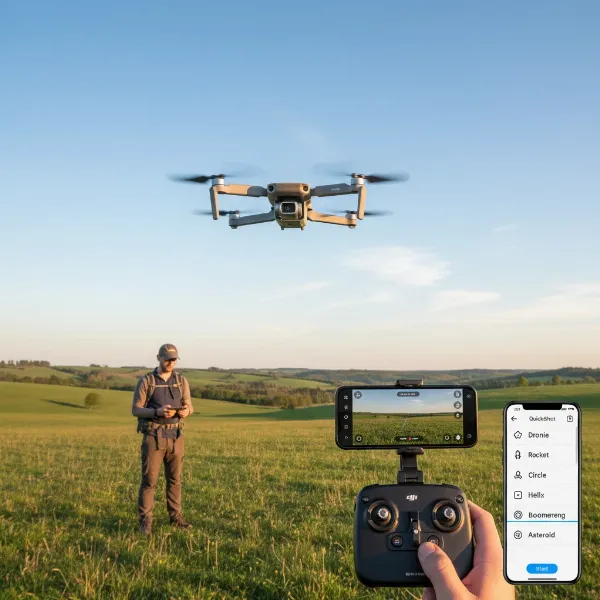
Embarking on the exhilarating world of First-Person View (FPV) drones opens up an unmatched immersive flight experience. Unlike traditional camera drones, FPV flying places you directly in the cockpit, offering a thrilling perspective as you navigate the skies. For newcomers, the thought of building a drone can be daunting, which is where Ready-To-Fly (RTF) kits shine. These comprehensive packages include everything you need—drone, goggles, and controller—to get you airborne quickly. This guide will walk you through the best FPV RTF kits for beginners, helping you choose the perfect entry point into this dynamic hobby.
What is an FPV Drone? An Overview of First-Person View Technology
An FPV drone, often referred to as a quadcopter or Unmanned Aerial Vehicle (UAV), is an aircraft controlled from a first-person perspective, typically through goggles that display a live video feed from the drone’s onboard camera. This technology creates a highly immersive flying sensation, making you feel as though you are actually soaring through the air. The evolution of drones from military applications to widespread civilian use has led to innovations like FPV, which emphasizes agility, speed, and pilot skill over automated flight.
Historically, drones were primarily utilized for military reconnaissance and surveillance. However, technological advancements have made them accessible for hobbies, photography, and various industries. FPV drones, in particular, gained popularity for racing and freestyle acrobatics, pushing the boundaries of aerial maneuvering. For beginners, FPV primarily operates through a video transmitter (VTX) on the drone sending an analog or digital signal to FPV goggles, coupled with a radio controller for precise flight inputs.
Beginner FPV drones commonly fall into categories like “whoops” or “toothpicks,” characterized by their smaller size and often ducted propellers for increased safety and indoor flight capability. These designs prioritize durability and ease of control, making them ideal for learning the fundamental skills of FPV piloting. The compact nature of these drones also makes them less intimidating for first-time pilots who are still getting accustomed to the unique control scheme.
Advantages and Disadvantages of FPV Drones
FPV drones offer a unique set of advantages that distinguish them from traditional drones, but they also come with certain challenges that beginners should be aware of. Understanding these aspects is crucial for setting realistic expectations and maximizing your learning experience.
Advantages
- Immersive Experience: The most significant advantage is the feeling of being in the air. FPV goggles provide a cockpit-like view, making flights incredibly engaging and exciting.
- Precise Control and Agility: FPV drones are renowned for their responsiveness, allowing for intricate maneuvers, high-speed flight, and acrobatic tricks that are impossible with most camera drones.
- Skill Development: Mastering FPV flying requires significant practice and coordination, leading to a rewarding journey of skill development that can be deeply satisfying.
- Unique Perspectives: FPV drones can capture dynamic footage from angles and speeds that cinematic drones cannot match, opening up creative possibilities for videography and exploration.
- Community Engagement: The FPV hobby boasts a vibrant global community, offering extensive support, shared knowledge, and opportunities for racing and freestyle events.
|
Our Picks for the Best Drone in 2026
As an Amazon Associate I earn from qualifying purchases.
|
||
| Num | Product | Action |
|---|---|---|
| 1 | Drone with Camera for Adults 4K, Brushless Motor Drones for Kids Beginners, 60 Mins Flight, 130° Lens, FPV Foldable RC Quadcopter, Gesture Photography, Toys Gifts for Teen Boys Girls, Black |

|
| 2 | Drone with Camera, Drones for Adults and Beginners, 1080P HD FPV Foldable Mini Drones for Kids, with 2 Batteries, Carrying Case, Trajectory Flight, Gravity Control, One-Key Takeoff/Landing, 360° Flip, Toys for Gift |
|
| 3 | DJI Mini 3 Fly More Combo (DJI RC), Drones with Camera for Adults 4K, 3 Batteries for 114-min Flight Time, Vertical Shooting, 32800ft (10km) Video Transmission, Lightweight Mini Drone for Beginners |
|
| 4 | DJI Mini 4K Camera Drone Combo, Drone with 4K UHD Camera for Adults, Under 249 g, 3-Axis Gimbal Stabilization, 10km Video Transmission, Auto Return, 2 Batteries for 62-Min Max Flight Time, QuickShots |
|
| 5 | DJI Mini 4K, Drone with 4K UHD Camera for Adults, Under 249 g, 3-Axis Gimbal Stabilization, 10km Video Transmission, Auto Return, Wind Resistance, 1 Battery for 31-Min Max Flight Time, Intelligent |
|
| 6 | Drone with Camera - Drone with Screen on Controller for Beginners, Foldable Remote Control Quadcopter with Gesture Control, 3D Flip, One Key Start, Emergency Stop, 2 Batteries, Easier to use to use |
|
| 7 | GPS Drones with Camera for Adults 4K, FPV Drone Under 249g with Brushless Motor, GPS Auto Return, Follow Me, Circle Fly, Waypoint Flight, Foldable Drone with Gesture Control, 46Mins with 2 Batteries |
|
| 8 | Drone with Camera 1080P HD FPV Foldable Mini Drone for Beginners Kids Adults, Drone with One Key Take Off/Landing, Gesture Selfie, Altitude Hold, 3D Flip, Easy to Fly, 2 Batteries, Toys for Boys Girls |
|
| 9 | DJI Air 3S Fly More Combo (RC 2 Screen Remote Controller), Drone with 1" CMOS Wide-Angle & Medium Tele Camera for Adults, 4K/60fps, Omnidirectional Sensing & 3 Batteries for Extended Flight Time |
|
| 10 | Drone with 1080P Camera - Foldable Remote Control Quadcopter with Gesture Control, 3D Flip, One Key Start, Emergency Stop, 2 Batteries, Easier to use, Toy for Kids Adult Beginners |
|
Disadvantages
- Steep Learning Curve: While RTF kits simplify entry, the manual flight modes (Acro) used for advanced FPV flying demand considerable practice, often beginning with simulators.
- Fragility and Repairs: FPV drones, especially those designed for performance, can be more susceptible to damage during crashes, requiring pilots to learn basic repair skills and carry spare parts.
- Limited Battery Life: Most small FPV drones have relatively short flight times, typically ranging from 4 to 10 minutes, necessitating multiple batteries for extended sessions.
- Cost of Entry and Maintenance: While beginner RTF kits are affordable, advancing in the hobby can involve significant investment in more powerful drones, better goggles, and replacement components.
- Regulations and Safety: FPV flight can raise privacy and safety concerns, and pilots must adhere to local drone regulations, which vary significantly by region.
Popular Applications of FPV Drones in Everyday Life
Beyond the thrill of personal flight, FPV drones have carved out niches in several exciting applications, demonstrating their versatility and unique capabilities.
- Freestyle Flying and Racing: This is the heart of the FPV hobby. Pilots navigate complex courses or perform intricate aerial acrobatics, often sharing their incredible flight videos online.
- Cinematic FPV: Filmmakers and content creators utilize FPV drones to capture dynamic, flowing shots that traditional drones or even jibs cannot achieve. This includes chase scenes, fly-throughs of buildings, and other creatively challenging aerial sequences.
- Exploration: The small size and maneuverability of some FPV drones allow them to explore tight spaces, abandoned buildings, or natural formations, offering a truly unique perspective of the world.
- Search and Rescue (Niche): While not their primary civilian role, the agility and FPV view can be beneficial in certain specialized search and rescue operations, especially in difficult terrain.
Key Factors for Choosing a Beginner FPV RTF Kit
Selecting your first FPV RTF kit involves considering several critical factors to ensure it aligns with your learning style, aspirations, and budget. The right kit will minimize frustration and maximize enjoyment as you embark on your FPV journey.
1. Purpose and Progression
What do you want to achieve with your FPV drone?
- Pure Learning: Kits focused on stability, altitude hold, and slow speed modes are ideal.
- Light Freestyle/Indoor Flying: Look for durable “whoop” style drones with prop guards.
- Outdoor Exploration/Freestyle: Consider slightly more powerful brushless options that can handle light winds.
Many beginner kits offer multiple flight modes, allowing you to progress from stable, assisted flight (Angle or Horizon mode) to fully manual, unassisted flight (Acro mode). This progression is vital for developing true FPV piloting skills.
2. Budget Considerations
FPV RTF kits for beginners typically range from $100 to $400. While cheaper kits are great for getting started, investing a bit more can often lead to a more durable drone with better performance and upgrade potential. Remember to also budget for spare parts like propellers and extra batteries, as crashes are an inevitable part of learning.
3. Flight Modes and Assistance
- Angle Mode (Stabilized): The drone automatically levels itself when you release the sticks. This is the easiest mode for beginners.
- Horizon Mode (Self-Leveling with Flips): Similar to Angle mode, but allows for flips and rolls when sticks are pushed to their extremes.
- Acro Mode (Manual): The drone maintains its last commanded angle. This mode offers full manual control and is essential for freestyle and racing, but requires significant practice.
- Altitude Hold: An essential feature for absolute beginners, allowing the drone to maintain a consistent altitude automatically. This reduces the number of controls a new pilot needs to manage simultaneously.
4. Durability and Repairability
Beginners will crash, and often. Look for kits with robust frames, prop guards, and readily available, easy-to-replace parts. Drones with small, lightweight designs (like “whoops”) tend to absorb impacts better and cause less damage. Brushless motors are generally more durable and efficient than brushed motors.
5. Video System: Analog vs. Digital
- Analog: More common and affordable in beginner kits. Offers good range but lower resolution and can suffer from static interference.
- Digital: Offers significantly higher resolution and a clearer image, but typically comes with a higher price tag and can experience more abrupt signal loss at the edge of its range. For beginners, analog is often sufficient and more budget-friendly.
6. Battery and Flight Time
Most beginner FPV drones use 1S (single cell) or 2S (two cell) LiPo batteries. 1S batteries offer shorter flight times (4-6 minutes) and less power, while 2S batteries provide more power and slightly longer flight times (5-10 minutes). Always purchase additional batteries to maximize your flying sessions.
7. Controller and Goggles Quality
The quality and comfort of the included FPV goggles and radio controller significantly impact the learning experience. Look for goggles with clear displays and comfortable fit. Controllers should feel ergonomic and responsive. Some controllers can also be used with FPV simulators, which is a huge bonus.
8. FPV Simulators
While not part of the RTF kit itself, practicing on an FPV simulator (like Liftoff, Velocidrone, or DRL Simulator) is highly recommended. It allows you to build muscle memory and practice Acro mode without risking damage to your physical drone. Many RTF kit controllers can connect to a PC for simulator use.
Top FPV RTF Kits for Beginners: A Detailed Comparison
When it comes to beginner-friendly FPV RTF kits, a few brands consistently stand out for offering excellent packages that ease newcomers into the hobby. Here, we review some of the most popular and highly-regarded options.
BetaFPV Cetus Series
The BetaFPV Cetus series offers a progressive range of RTF kits, designed to cater to pilots from absolute beginners to those ready for more advanced freestyle. Each kit includes the drone, goggles, and a radio transmitter.
-
BetaFPV Cetus Lite FPV Kit:
- Ideal For: Absolute beginners, young pilots (aged 7+).
- Features: Brushed motors, auxiliary altitude hold, two speed modes, auto-centering sticks for easy control. This kit is incredibly forgiving and focused on getting the basics down. It comes with VR02 FPV Goggles and a LiteRadio 1.
- Flight Time: 4-5 minutes.
- Pros: Very easy to fly, extremely durable, low cost.
- Cons: No video recording, limited power for freestyle, low goggle range.
-
BetaFPV Cetus FPV Kit:
- Ideal For: New FPV beginners (aged 7+), those looking for a slight step up from the Lite.
- Features: Similar to Cetus Lite but with three flight modes (N-Mode, S-Mode, M-Mode) for gradual progression. Includes auxiliary altitude hold and speed control. Comes with VR02 Goggles and LiteRadio 2 SE.
- Flight Time: 4-5 minutes.
- Pros: Good balance of fun and cost, complete “Ready to Fly” kit, allows learning freestyle or hover.
- Cons: Brushed motors, won’t carry an external camera.
-
BetaFPV Cetus Pro FPV Kit:
- Ideal For: Beginners ready for brushless power and more maneuverability (aged 12+).
- Features: Brushless motors (1102, 18000KV), 1S battery, three flight modes (including manual), turtle mode for self-righting after a crash, self-protection for emergency landing. More powerful and agile than the Cetus and Cetus Lite. Utilizes VR02 Goggles and LiteRadio 2 SE.
- Flight Time: 4-5 minutes.
- Pros: Great for learning freestyle actions, durable 75mm frame for indoor/outdoor, safe emergency features.
- Cons: Still a relatively short flight time.
-
BetaFPV Cetus X FPV Kit:
- Ideal For: Beginners to advanced pilots (aged 15+), seeking a powerful microwhoop with modern protocols.
- Features: 2S brushless motors (1103, 11000KV), M04 400mW VTX and C04 FPV camera for longer transmission, 0°-40° adjustable camera angle. Supports ExpressLRS radio link protocol and Betaflight configurator. Comes with VR03 FPV Goggles with DVR recording and LiteRadio 3.
- Flight Time: 5 minutes.
- Pros: Powerful enough for freestyle, includes DVR recording, supports modern control protocols, optimized for longer range.
- Cons: Analog box goggles, requires more flight practice due to increased power.
Emax Tinyhawk III Plus Freestyle RTF Kit
The Emax Tinyhawk series has been a cornerstone for beginner FPV pilots, and the Tinyhawk III Plus Freestyle continues this legacy with enhancements for freestyle flying.
- Ideal For: Beginners specifically interested in freestyle FPV (small scale), moving towards more aggressive flying.
- Features: Digital FPV camera (RunCam HDZero Nano Lite Camera) and digital goggles (Transporter 2) for a crisp and clear FPV view. Can be configured for 1S or 2S batteries, offering flexibility in power. Comes with the E8 transmitter, providing a more traditional radio feel.
- Flight Time: Up to 7 minutes (depending on battery configuration and flight style).
- Pros: Comprehensive kit with digital video, excellent performance for its mini size, flexible battery options.
- Cons: Goggles might not be compatible with glasses, no dedicated carry case, more expensive than analog options. The frame can be susceptible to scuffing from concrete crashes.
BetaFPV Aquila Series
The Aquila series from BetaFPV introduces an inverted quadcopter design and modularity, catering to beginners looking for stability with room to grow.
-
BetaFPV Aquila16 FPV Kit:
- Ideal For: Advanced beginners (aged 13+) who want a robust inverted quad with good flight characteristics.
- Features: 1S brushless motors (1102, 18000KV), inverted quadcopter design for better prop protection and stability, modular aerodynamic design, three flight modes, turtle mode. Includes VR03 FPV Goggles (with DVR) and LiteRadio 2 SE with ELRS 3.0 firmware.
- Flight Time: 8 minutes.
- Pros: Good flight time, stable hovering, durable frame, VR03 goggles record DVR.
- Cons: More advanced for beginners, shorter range compared to some alternatives.
-
BetaFPV Aquila20 FPV Kit:
- Ideal For: Beginners seeking a larger, more powerful 2S option for outdoor flight and advanced learning.
- Features: 2S brushless motors (1103, 10500KV), C04 camera, higher VTX power options (up to 350mW for 200m range), VR04 FPV Goggles, LiteRadio 4 SE. Offers improved range and performance over the Aquila16.
- Flight Time: About 10 minutes.
- Pros: Longer flight time, extended range, robust design, excellent for outdoor practice and progression.
- Cons: Higher price point, might be too powerful for very confined indoor spaces for absolute beginners.
Comparison Table: Beginner FPV RTF Kits
| Feature | BetaFPV Cetus Lite | BetaFPV Cetus Pro | BetaFPV Cetus X | Emax Tinyhawk III Plus Freestyle | BetaFPV Aquila16 | BetaFPV Aquila20 |
|---|---|---|---|---|---|---|
| Drone Type | Brushed Whoop | Brushless Whoop | Brushless Whoop | Brushless Whoop (Freestyle) | Brushless Inverted | Brushless Inverted |
| Power (S) | 1S | 1S | 2S | 1S/2S Configurable | 1S | 2S |
| Flight Time | 4-5 mins | 4-5 mins | 5 mins | Up to 7 mins | 8 mins | About 10 mins |
| Camera | Cetus Lite Camera | C02 | C04 (Caddx Nano Ant) | RunCam HDZero Nano Lite (Digital) | C02 | C04 |
| VTX Power | 25mW | 25mW | 25-400mW | 200mW (Digital) | 25mW/350mW | 25mW/350mW |
| Goggles | VR02 FPV Goggles | VR02 FPV Goggles | VR03 FPV Goggles | Transporter 2 (Digital) | VR03 FPV Goggles | VR04 FPV Goggles |
| Radio Tx | LiteRadio 1 | LiteRadio 2 SE | LiteRadio 3 | E8 Transmitter | LiteRadio 2 SE | LiteRadio 4 SE |
| Flight Modes | 2 Speed Modes | 3 Flight Modes | 3 Flight Modes | Angle, Horizon, Acro | 3 Flight Modes | 3 Flight Modes |
| Key Features | Altitude Hold, easy | Turtle Mode, Brushless | ExpressLRS, DVR | Digital FPV, Freestyle | Inverted, Modular | Longer Range, Stability |
| Ideal For | Absolute beginners | Learning freestyle | Intermediate skills | Freestyle practice | Progressive learning | Outdoor practice |
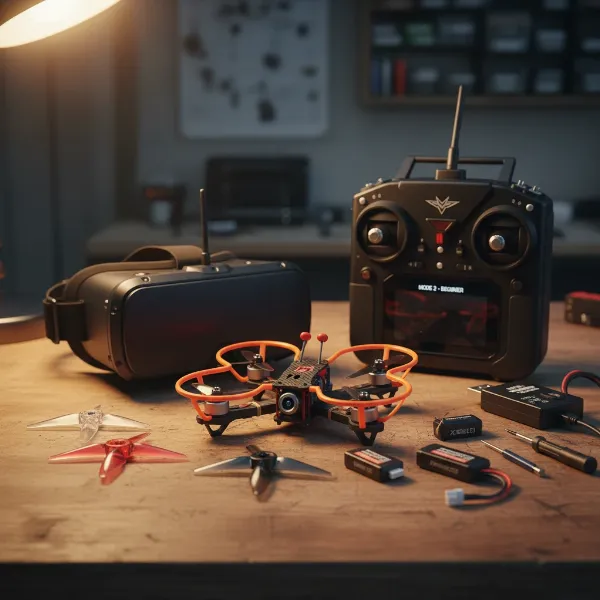 A beginner FPV drone RTF kit laid out, showing the small drone, FPV goggles, and controller on a table.{.ai-image}
Getting Started: Tips for Flying and Maintaining Your First FPV Drone
Once you’ve unboxed your first FPV RTF kit, the excitement to fly can be overwhelming. However, a systematic approach will ensure a safer, more enjoyable, and ultimately more successful learning experience.
1. Practice on a Simulator First
Before taking to the real sky, dedicate time to an FPV simulator. Many beginner controllers can connect to a computer via USB, allowing you to practice various flight modes and scenarios without the risk of damaging your drone. This builds crucial muscle memory and confidence.
2. Start in Stabilized Modes
Always begin in the most forgiving flight modes, such as Angle Mode or Horizon Mode, often accompanied by Altitude Hold. These modes provide assistance, self-leveling the drone and making it easier to manage during your initial flights. Gradually transition to Acro Mode as your skills improve.
3. Choose a Safe Flying Environment
Select an open, clear area away from people, animals, obstacles, and busy roads. A large park or an open field is ideal. Always maintain visual line of sight with your drone, even when flying with goggles, as a spotter can be invaluable. Avoid flying near airports or restricted airspaces.
4. Understand Basic Regulations
While specific laws vary greatly by country and region, a general rule of thumb for FPV drones is to fly responsibly. This typically includes avoiding flying over people, respecting privacy, maintaining visual line of sight, and staying away from critical infrastructure. Always check local regulations before flying.
5. Perform Pre-Flight Checks
Before every flight, quickly inspect your drone. Check that propellers are securely attached and undamaged, batteries are fully charged (for both drone and goggles/controller), and nothing appears loose or broken. A quick check can prevent crashes and extend the life of your equipment.
6. Basic Maintenance and Storage
After flying, wipe down your drone to remove any dirt or debris. Store batteries at their recommended storage voltage (usually around 3.8V per cell) to prolong their lifespan, and keep them in a fire-safe bag. Always inspect for prop damage after a crash and replace as needed.
Essential Accessories for Your FPV Journey
To make your FPV experience seamless and enjoyable, a few key accessories are highly recommended to accompany your RTF kit.
- Extra Batteries and Charger: Given the short flight times of FPV drones, having several spare batteries is essential for extended flying sessions. A multi-port charger can charge several batteries simultaneously.
- Spare Propellers: Props are often the first casualty in a crash. Keep a plentiful supply of replacements specific to your drone model.
- Basic Tool Kit: Small screwdrivers, tweezers, and a prop removal tool will be invaluable for quick repairs and maintenance.
- Carry Case: A dedicated case protects your drone, goggles, and controller during transport and storage, keeping all your gear organized.
- SD Card (for DVR goggles): If your FPV goggles have a DVR (Digital Video Recorder) function, an SD card is necessary to record your flights for review or sharing.
Conclusion
The journey into FPV drone flying is an incredibly rewarding adventure, offering a level of immersion and control unmatched by other drones. Ready-To-Fly (RTF) kits, especially those designed for beginners, dramatically lower the entry barrier, providing a complete package to get you airborne with minimal fuss. From the ultra-forgiving BetaFPV Cetus Lite to the more powerful and freestyle-capable Emax Tinyhawk III Plus Freestyle and BetaFPV Aquila series, there’s a perfect kit to match every aspiring pilot’s learning pace and budget. Remember to prioritize safety, practice on simulators, and enjoy the progressive development of your piloting skills. The sky truly is the limit when you’re flying FPV.
Are you ready to strap on the goggles and experience the world from a brand new perspective?
Frequently Asked Questions
What does RTF mean in FPV drones?
RTF stands for “Ready-To-Fly,” meaning the FPV drone kit comes with everything you need to start flying right out of the box. This typically includes the drone itself, FPV goggles for the immersive view, a radio controller, batteries, and a charger, eliminating the need for complex assembly.
Do I need a simulator before flying an FPV drone?
While not strictly mandatory for every RTF kit with assisted flight modes, practicing on an FPV simulator is highly recommended. It allows you to develop crucial piloting skills and muscle memory in a virtual environment, without the risk of damaging your physical drone. This is especially true before attempting Acro (manual) mode.
What’s the difference between analog and digital FPV?
Analog FPV systems transmit a lower-resolution video feed that can experience static, but generally have good range and lower latency. Digital FPV systems offer significantly higher resolution and a clearer image, but can be more expensive and may experience more abrupt signal loss at range. For beginners, analog is often a more accessible and cost-effective starting point.
How long do FPV drone batteries last?
Flight times for beginner FPV drones vary, but typically range from 4 to 10 minutes per battery, depending on the drone’s size, battery capacity (1S or 2S), and your flying style. Carrying multiple spare batteries is essential to maximize your flight sessions and enjoyment.
Can FPV drones be flown indoors?
Yes, many smaller FPV drones, especially “whoop” style drones with prop guards like the BetaFPV Cetus series or Emax Tinyhawk, are perfectly suited for indoor flight. Their small size and protected propellers make them safer and less likely to cause damage in confined spaces, allowing for year-round practice regardless of weather.