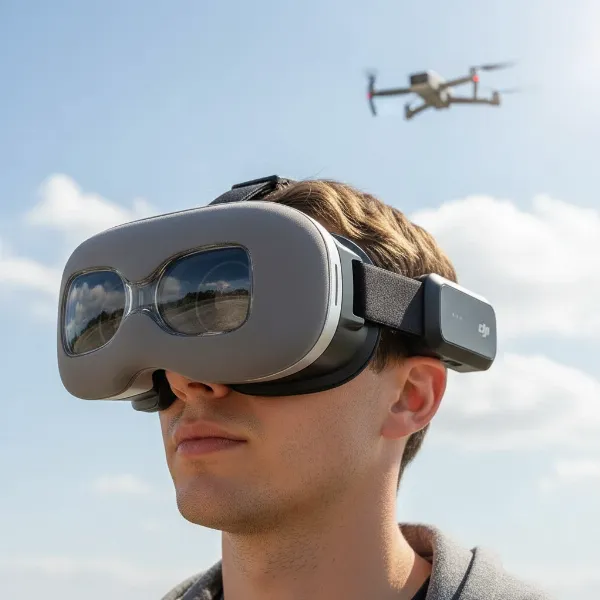
Experiencing the frustration of a grounded drone can quickly turn excitement into exasperation. You’ve charged the batteries, found the perfect spot, and are ready for flight, but your drone simply refuses to take to the skies. This common issue plagues both novice and seasoned pilots alike. Fortunately, most takeoff failures stem from a few predictable problems, and with a systematic approach, you can diagnose and resolve them, getting your drone airborne once more. This comprehensive guide will walk you through the most frequent reasons why your drone won’t take off and provide actionable solutions to get you back in the air.
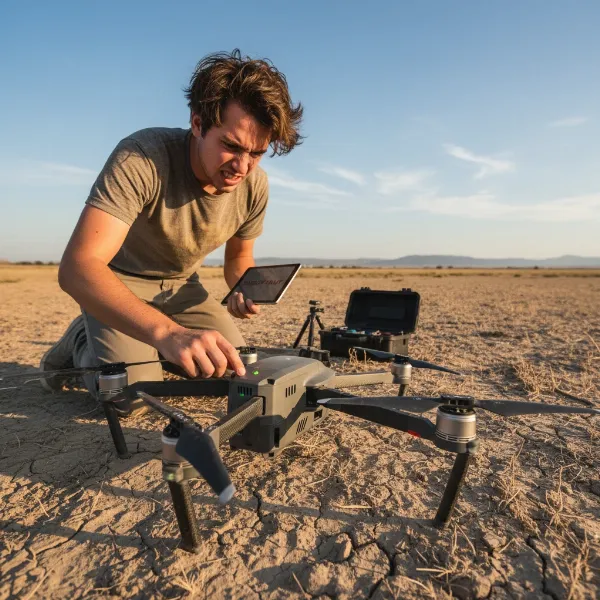 A frustrated drone pilot looking at a grounded drone, showing the common problem of takeoff failure.
Understanding Drone Takeoff Mechanics
|
Our Picks for the Best Drone in 2026
As an Amazon Associate I earn from qualifying purchases.
|
||
| Num | Product | Action |
|---|---|---|
| 1 | Drone with Camera - Drone with Screen on Controller for Beginners, Foldable Remote Control Quadcopter with Gesture Control, 3D Flip, One Key Start, Emergency Stop, 2 Batteries, Easier to use to use |

|
| 2 | DJI Air 3S Fly More Combo (RC 2 Screen Remote Controller), Drone with 1" CMOS Wide-Angle & Medium Tele Camera for Adults, 4K/60fps, Omnidirectional Sensing & 3 Batteries for Extended Flight Time |
|
| 3 | Drone with Camera for Adults 4K, Brushless Motor Drones for Kids Beginners, 60 Mins Flight, 130° Lens, FPV Foldable RC Quadcopter, Gesture Photography, Toys Gifts for Teen Boys Girls, Black |
|
| 4 | Drone with Camera 1080P HD FPV Foldable Mini Drone for Beginners Kids Adults, Drone with One Key Take Off/Landing, Gesture Selfie, Altitude Hold, 3D Flip, Easy to Fly, 2 Batteries, Toys for Boys Girls |
|
| 5 | Drone with 1080P Camera - Foldable Remote Control Quadcopter with Gesture Control, 3D Flip, One Key Start, Emergency Stop, 2 Batteries, Easier to use, Toy for Kids Adult Beginners |
|
| 6 | DJI Mini 4K Camera Drone Combo, Drone with 4K UHD Camera for Adults, Under 249 g, 3-Axis Gimbal Stabilization, 10km Video Transmission, Auto Return, 2 Batteries for 62-Min Max Flight Time, QuickShots |
|
| 7 | DJI Mini 4K, Drone with 4K UHD Camera for Adults, Under 249 g, 3-Axis Gimbal Stabilization, 10km Video Transmission, Auto Return, Wind Resistance, 1 Battery for 31-Min Max Flight Time, Intelligent |
|
| 8 | DJI Mini 3 Fly More Combo (DJI RC), Drones with Camera for Adults 4K, 3 Batteries for 114-min Flight Time, Vertical Shooting, 32800ft (10km) Video Transmission, Lightweight Mini Drone for Beginners |
|
| 9 | Drone with Camera, Drones for Adults and Beginners, 1080P HD FPV Foldable Mini Drones for Kids, with 2 Batteries, Carrying Case, Trajectory Flight, Gravity Control, One-Key Takeoff/Landing, 360° Flip, Toys for Gift |
|
| 10 | GPS Drones with Camera for Adults 4K, FPV Drone Under 249g with Brushless Motor, GPS Auto Return, Follow Me, Circle Fly, Waypoint Flight, Foldable Drone with Gesture Control, 46Mins with 2 Batteries |
|
Before diving into troubleshooting, it’s helpful to understand the basic mechanics behind a successful drone takeoff. For a drone to lift off, a delicate balance of power, control, and stability must be achieved. The battery supplies power to the motors, which spin the propellers to generate lift. The flight controller acts as the drone’s brain, processing commands from the remote and data from sensors like the Inertial Measurement Unit (IMU) and GPS to maintain stability and execute flight instructions. Any disruption in this intricate chain—be it insufficient power, incorrect commands, or sensor anomalies—can prevent the drone from launching.
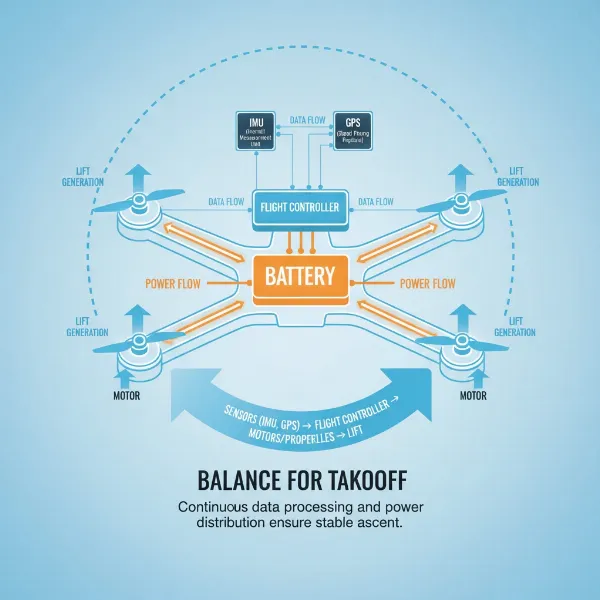 A clear diagram illustrating the key components and mechanics required for a successful drone takeoff.
Top Reasons Your Drone Remains Grounded
When your drone stays stubbornly on the ground, one of several common culprits is usually to blame. Identifying the specific issue is the first step toward a solution.
Battery Power and Connection Issues
A drone’s battery is its lifeblood. The most frequent reason for a non-takeoff is simply a depleted battery or one that isn’t properly connected. Drones are designed with safety protocols that prevent flight if the battery charge is too low to sustain a stable takeoff. Beyond low charge, batteries can degrade over time, failing to deliver consistent voltage even when partially charged, which can also impede lift-off. Always ensure your battery is fully charged and securely seated in its compartment.
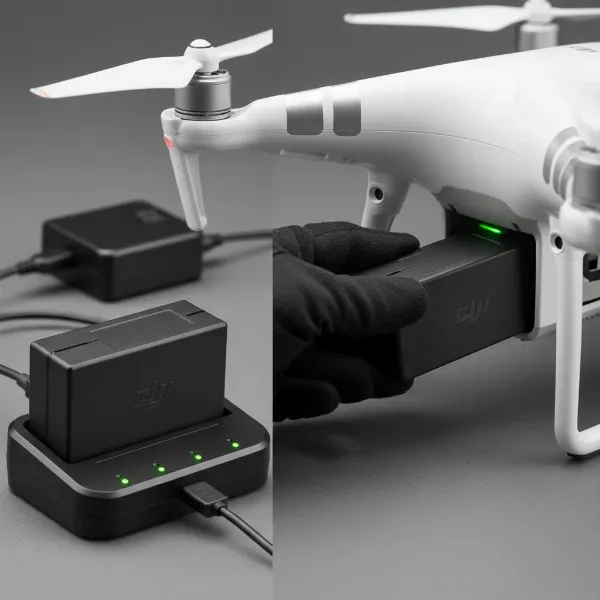 A drone battery being charged or correctly inserted into a drone's compartment.
Propeller Malfunctions and Obstructions
Propellers are crucial for generating lift, and any issue here can prevent takeoff or cause the drone to flip immediately. Common problems include propellers being incorrectly installed—for instance, a clockwise propeller in a counter-clockwise motor slot—or being damaged, bent, or obstructed by grass, dirt, or other debris. Even minor imperfections can disrupt airflow and compromise the drone’s ability to ascend. Always inspect your propellers for damage and ensure they are attached correctly according to their designated rotation.
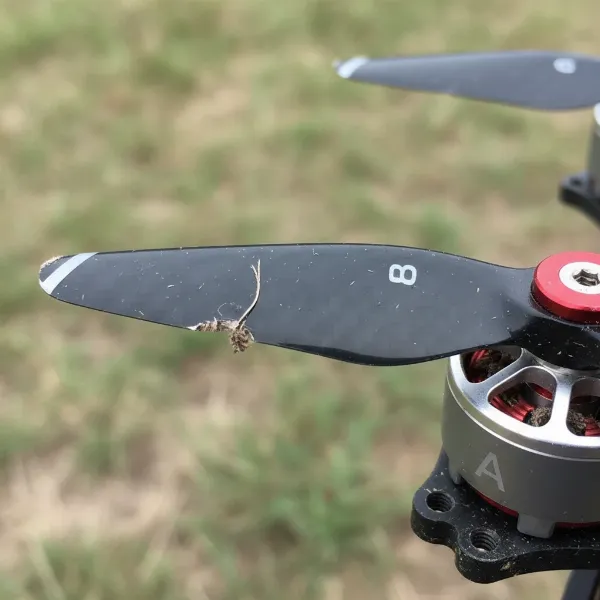 A close-up image showing a damaged, bent, or incorrectly installed drone propeller.
Controller and Drone Pairing Failures
The communication link between your remote controller and the drone is paramount. If they are not properly paired, the drone won’t receive your takeoff commands. This can happen if you’ve swapped controllers or drones, if the controller’s battery is low, or if there’s signal interference. Some controllers might also be in a “link” or coding state, preventing flight commands from being sent. Confirming a solid connection before attempting takeoff is essential.
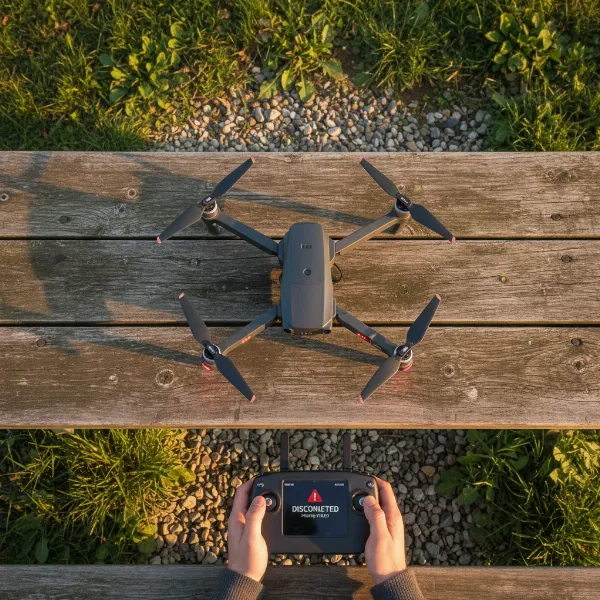 A drone remote controller and a drone, visually suggesting a connection problem or pairing failure.
GPS Signal Weakness or Loss
Many modern drones rely heavily on GPS for stable flight and safety features. If your drone cannot acquire a sufficient number of GPS satellites (often 6-8 are required), it may refuse to take off as a safety precaution. This is especially common when flying indoors, under heavy tree canopies, or in areas with significant signal interference. Always attempt takeoff in an open, outdoor area with a clear view of the sky.
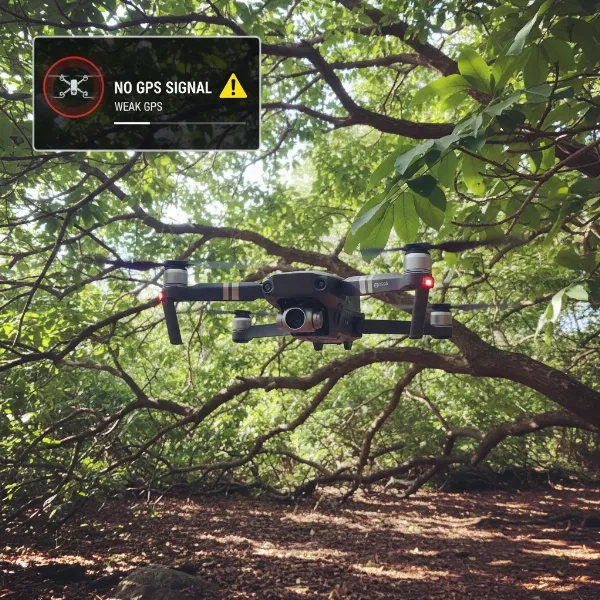 A drone in an environment with poor GPS signal, such as under heavy trees or indoors, showing a warning.
Outdated Firmware and Software Glitches
Drones are sophisticated flying computers, and like any computer, they require up-to-date software. Inconsistent or outdated firmware between the drone and its controller can lead to communication errors and prevent takeoff. Software glitches in the companion app or the drone’s flight system can also cause unexpected behavior. Regularly checking for and installing firmware updates is a vital part of drone maintenance.
 A screen displaying a drone firmware update in progress or a notification for an available update.
Inaccurate IMU and Compass Calibration
The Inertial Measurement Unit (IMU) and compass are critical sensors that help the drone understand its orientation and position. If these sensors are not properly calibrated, or if they encounter magnetic interference, the drone’s flight controller may deem conditions unsafe for takeoff. Recalibrating these sensors, particularly after changing locations or experiencing a hard landing, is a common troubleshooting step.
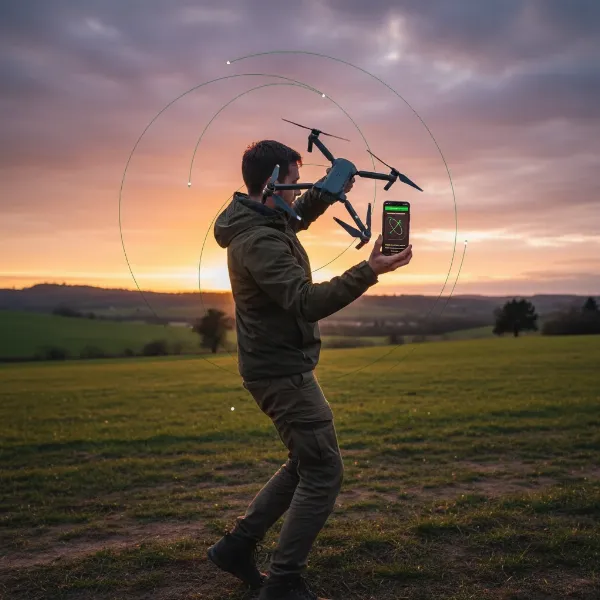 A drone being calibrated for its IMU and compass, possibly with a user interacting with the companion app.
Motor and ESC (Electronic Speed Controller) Problems
The motors and Electronic Speed Controllers (ESCs) directly power the propellers. A faulty motor—perhaps due to damage, corrosion, or a manufacturing defect—can prevent one or more propellers from spinning correctly, leading to a grounded drone or even a flip upon arming. Similarly, an issue with an ESC can prevent a motor from receiving the correct power. These mechanical failures typically require more in-depth inspection and potentially professional repair.
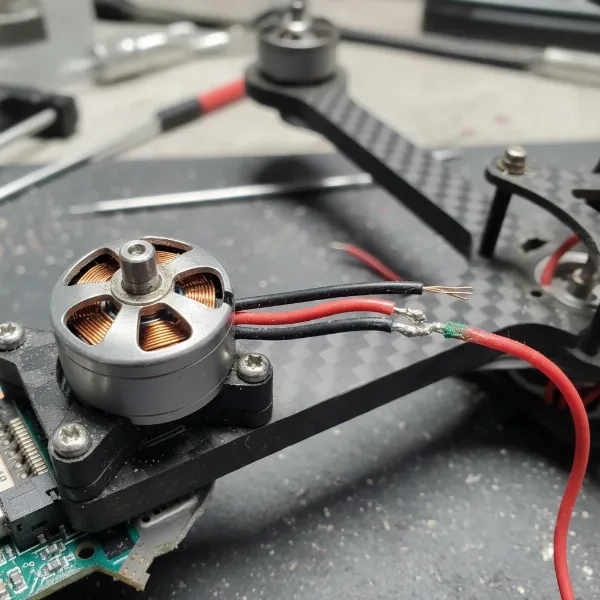 A close-up view of a drone's motor and ESC area, highlighting potential issues or for inspection.
Enabled Safety Features and Flight Restrictions
Drones come equipped with various safety features and adhere to regulatory restrictions. For example, geofencing technology prevents drones from flying in designated no-fly zones (like near airports or government facilities). If your drone detects it’s in such an area, it will not allow takeoff. Additionally, many drones have pre-flight checklists or arming sequences that must be completed correctly before the motors will spin up. Overloading your drone beyond its payload capacity can also trigger safety limits, preventing takeoff.
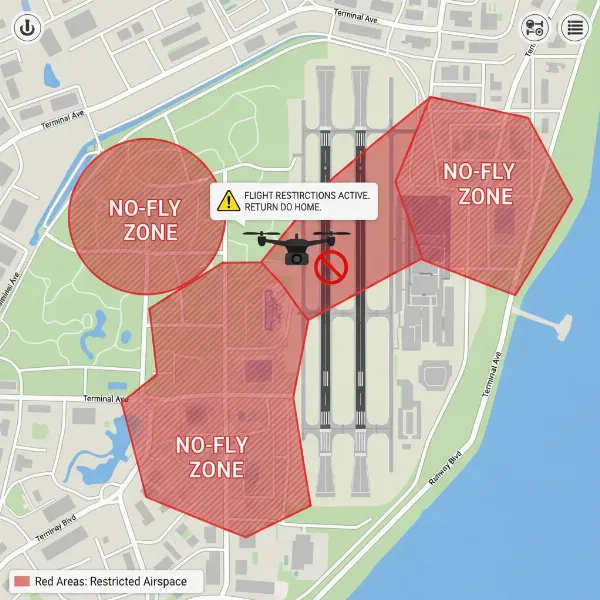 A map showing a geofenced no-fly zone with a drone icon near the boundary, indicating restriction.
A Step-by-Step Troubleshooting Guide
When your drone won’t take off, a methodical approach is your best friend. Follow these steps to diagnose and resolve the issue.
Perform a Visual Inspection
Start with the obvious. Carefully examine your drone for any visible damage, such as bent arms, cracked casings, or tangled wires. Check for debris, like grass or dirt, lodged in the motors or propellers.
Verify Battery Status
Ensure your flight battery is fully charged and correctly inserted into the drone. Also, check the remote controller’s battery level, as a low controller battery can prevent proper communication.
Inspect and Install Propellers Correctly
Remove and reattach all propellers, double-checking that each one is on the correct motor and securely fastened. Many propellers are marked with “A” or “B” and must match the corresponding motor. Look for any chips, bends, or cracks that might compromise lift.
Confirm Controller and Drone Pairing
Power on both your drone and controller. Look for indicator lights or messages on the controller’s screen that confirm a successful connection. If they are not paired, follow your drone’s manual instructions to re-pair them.
Calibrate Sensors (IMU, Compass)
Access your drone’s companion app or controller menu to initiate IMU and compass calibration. Perform this outdoors, away from large metal objects or strong magnetic fields that could interfere with the process.
Check GPS Signal Strength
If your drone relies on GPS, ensure you are outdoors with an unobstructed view of the sky. Wait a few moments for the drone to acquire a sufficient number of satellites, indicated by an icon or number in your drone app.
Update Firmware and Software
Connect your drone and controller to the companion app or a computer and check for any pending firmware updates. Install all necessary updates for both the drone and the controller to ensure compatibility and optimal performance.
Review Flight Logs/Error Messages
Many modern drones record flight data and error messages. Accessing these logs through your drone’s app or desktop software can provide specific codes or descriptions of why the takeoff was prevented, guiding you directly to the problem.
Test Motors (Safely)
With propellers removed for safety, carefully arm your drone (if possible) and gently increase the throttle to see if all motors spin smoothly and at the same rate. Listen for any unusual sounds or vibrations. Always remove propellers before testing motors indoors or without proper supervision.
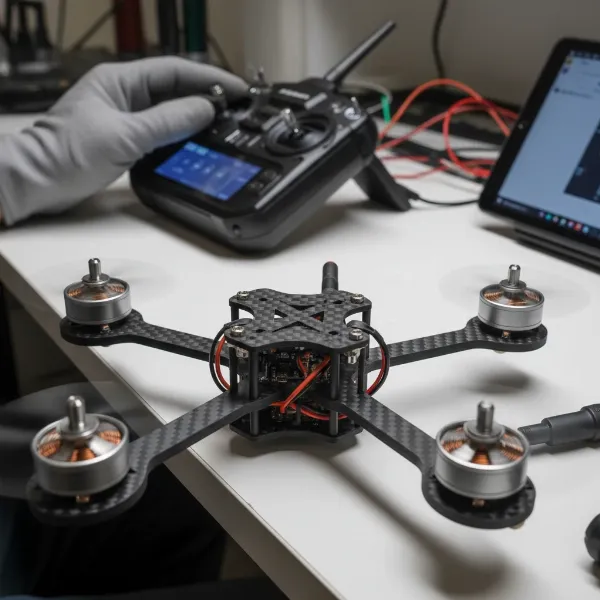 A drone undergoing a motor test with propellers removed, for safety and inspection purposes.
Consult Your Drone’s Manual
Your drone’s user manual is an invaluable resource. It contains specific troubleshooting steps, error code explanations, and calibration procedures unique to your model.
Preventive Measures for Reliable Drone Flights
While troubleshooting is essential, prevention is always better. Adopting good habits can significantly reduce the likelihood of your drone refusing to take off.
Regular maintenance is key. This includes routinely checking your drone for physical damage, ensuring all components are clean, and inspecting propellers before every flight. Developing a pre-flight checklist can help you systematically verify battery levels, propeller installation, GPS signal, and sensor calibration. It’s also crucial to consistently keep your drone’s firmware and software updated to benefit from the latest improvements and bug fixes. Furthermore, understanding and adhering to local flight regulations and knowing no-fly zones will prevent your drone’s safety features from grounding it. Always choose an appropriate flying environment, free from obstacles and interference, to ensure a smooth and safe takeoff. “A careful pilot is a flying pilot,” advises drone expert Alex Thorne, emphasizing the role of meticulous preparation in avoiding common issues.
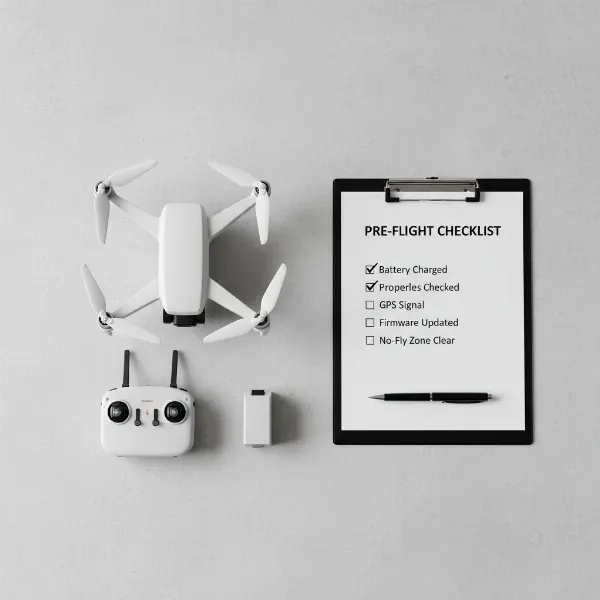 A detailed pre-flight checklist for a drone, emphasizing routine maintenance and safety preparations.
Conclusion
A drone that won’t take off can be incredibly frustrating, but most issues are resolvable with a calm, systematic approach. From ensuring your battery is charged and propellers are correctly installed to calibrating sensors and updating firmware, a variety of factors can contribute to a grounded drone. By diligently working through the common causes and troubleshooting steps outlined, you can identify the problem and implement the necessary fix. Remember, safety and proper maintenance are paramount for reliable drone operation. Don’t let a minor setback keep you from the skies; a little patience and technical know-how will have your drone soaring in no time. What exciting aerial perspectives will you capture once your drone is back in the air?
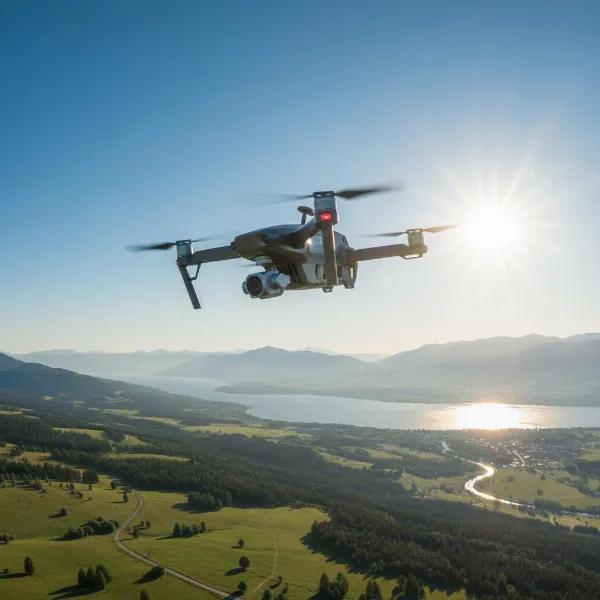 A drone successfully flying high in an open, clear sky, capturing a beautiful aerial perspective.
Frequently Asked Questions
Why is my drone’s battery fully charged but it still won’t take off?
Even with a full charge, a faulty or degrading battery might not deliver consistent voltage, preventing takeoff. Also, ensure the battery is securely connected, as a loose connection can mimic a dead battery. Additionally, some drones have advanced battery management systems that might prevent flight if an internal cell is unbalanced.
How do I know if my drone’s propellers are installed correctly?
Most drone propellers are marked (e.g., A or B, or with arrows) to indicate their specific motor and rotation direction. The drone’s manual will show the correct orientation for each propeller. Incorrectly installed propellers can prevent lift or cause the drone to flip immediately upon arming.
What should I do if my drone won’t connect to its controller?
First, ensure both the drone and controller are fully charged. Then, attempt the pairing process again, following your drone’s manual carefully, as procedures vary by model. Eliminate potential signal interference by moving away from Wi-Fi routers or other electronic devices.
Can flying indoors prevent my drone from taking off?
Yes, many drones, especially those relying on GPS for stability, will not take off indoors. Walls and ceilings block satellite signals, leading to a lack of GPS lock, which is a critical safety requirement for outdoor flight. Some drones may have an indoor mode, but it often requires manual activation and offers less stable flight.
How often should I update my drone’s firmware?
It’s generally recommended to check for and install firmware updates whenever they become available. Manufacturers frequently release updates to improve performance, fix bugs, enhance safety features, and ensure compatibility with new accessories. Staying current helps prevent software-related takeoff issues.