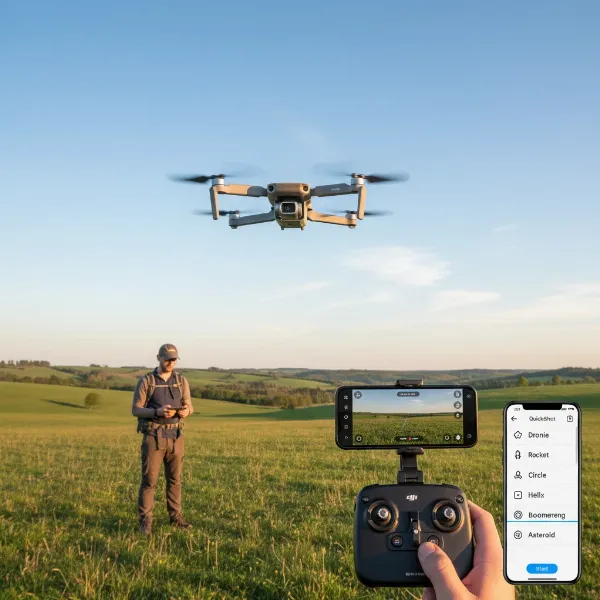
Ever wondered about the invisible conversation happening between your remote control and your drone or RC car? That seamless communication is made possible through a vital process known as binding. It’s the essential first step that links your specific transmitter to its corresponding receiver, creating a unique and secure connection that allows you to take command of your model.
For anyone entering the exciting world of remote control, understanding How To Bind Your Transmitter To A Receiver is fundamental. This guide will demystify the process, explain why it’s so important, walk you through the step-by-step procedure, and offer valuable troubleshooting tips to ensure you achieve a flawless link every time. Get ready to unlock the full potential of your RC adventures.
What is Binding? Understanding Your RC System’s Connection
Binding, in the context of radio control (RC), refers to the electronic process of pairing a specific radio transmitter with a specific radio receiver. Think of it as a digital handshake where the transmitter tells the receiver, “You are mine, and I am yours.” This creates an exclusive communication link, preventing your model from responding to other RC signals and ensuring that only your controller can operate it.
This crucial process involves establishing a unique identification code between the two components. Once bound, your transmitter will only send control signals to its paired receiver, and the receiver will only accept commands from that specific transmitter. This digital pairing is typically achieved using 2.4 GHz technology, a frequency band that offers robust, interference-resistant communication for RC applications.
Why Binding is Crucial for RC Enthusiasts
Binding is more than just a setup step; it’s the bedrock of safe and reliable RC operation. Without a properly bound system, your model would be unresponsive or, worse, potentially susceptible to stray signals from other controllers, leading to unpredictable and dangerous behavior. Imagine flying your drone only for it to suddenly respond to someone else’s remote!
The importance of binding extends to several key areas. Firstly, it ensures safety by guaranteeing that your model only responds to your commands, preventing accidents. Secondly, it provides reliability, establishing a consistent and stable communication link free from common interference, which is paramount for precision control. Thirdly, it is a necessary initial setup for any new RC model or if you replace either your transmitter or receiver, ensuring your system is ready for action. Ultimately, a correctly bound system provides peace of mind and allows you to enjoy the full performance of your RC equipment.
Step-by-Step Guide: Binding Your Transmitter and Receiver
Binding your transmitter and receiver is typically a straightforward process, though the exact steps can vary slightly depending on your specific brand and model. However, a general sequence of actions applies to most 2.4 GHz RC systems.
Preparation for Binding
Before you begin, ensure you have a smooth experience by taking a few preparatory steps:
- Charge Batteries: Make sure both your transmitter and the receiver (or the model’s main battery) are fully charged. A low battery can sometimes interfere with the binding process.
- Power Off: Ensure both your transmitter and receiver are completely powered off.
- Bind Plug Ready: If your receiver requires a “bind plug,” have it easily accessible. This small jumper tells the receiver to enter binding mode.
- Proximity: Keep the transmitter and receiver relatively close to each other, typically within a few feet, during the binding procedure.
|
Our Picks for the Best Drone in 2026
As an Amazon Associate I earn from qualifying purchases.
|
||
| Num | Product | Action |
|---|---|---|
| 1 | DJI Mini 3 Fly More Combo (DJI RC), Drones with Camera for Adults 4K, 3 Batteries for 114-min Flight Time, Vertical Shooting, 32800ft (10km) Video Transmission, Lightweight Mini Drone for Beginners |

|
| 2 | Drone with Camera - Drone with Screen on Controller for Beginners, Foldable Remote Control Quadcopter with Gesture Control, 3D Flip, One Key Start, Emergency Stop, 2 Batteries, Easier to use to use |
|
| 3 | DJI Mini 4K Camera Drone Combo, Drone with 4K UHD Camera for Adults, Under 249 g, 3-Axis Gimbal Stabilization, 10km Video Transmission, Auto Return, 2 Batteries for 62-Min Max Flight Time, QuickShots |
|
| 4 | DJI Mini 4K, Drone with 4K UHD Camera for Adults, Under 249 g, 3-Axis Gimbal Stabilization, 10km Video Transmission, Auto Return, Wind Resistance, 1 Battery for 31-Min Max Flight Time, Intelligent |
|
| 5 | GPS Drones with Camera for Adults 4K, FPV Drone Under 249g with Brushless Motor, GPS Auto Return, Follow Me, Circle Fly, Waypoint Flight, Foldable Drone with Gesture Control, 46Mins with 2 Batteries |
|
| 6 | Drone with Camera, Drones for Adults and Beginners, 1080P HD FPV Foldable Mini Drones for Kids, with 2 Batteries, Carrying Case, Trajectory Flight, Gravity Control, One-Key Takeoff/Landing, 360° Flip, Toys for Gift |
|
| 7 | Drone with Camera for Adults 4K, Brushless Motor Drones for Kids Beginners, 60 Mins Flight, 130° Lens, FPV Foldable RC Quadcopter, Gesture Photography, Toys Gifts for Teen Boys Girls, Black |
|
| 8 | DJI Air 3S Fly More Combo (RC 2 Screen Remote Controller), Drone with 1" CMOS Wide-Angle & Medium Tele Camera for Adults, 4K/60fps, Omnidirectional Sensing & 3 Batteries for Extended Flight Time |
|
| 9 | Drone with 1080P Camera - Foldable Remote Control Quadcopter with Gesture Control, 3D Flip, One Key Start, Emergency Stop, 2 Batteries, Easier to use, Toy for Kids Adult Beginners |
|
| 10 | Drone with Camera 1080P HD FPV Foldable Mini Drone for Beginners Kids Adults, Drone with One Key Take Off/Landing, Gesture Selfie, Altitude Hold, 3D Flip, Easy to Fly, 2 Batteries, Toys for Boys Girls |
|
Receiver Setup
The first part of the binding process focuses on preparing your receiver:
- Insert Bind Plug: If your receiver uses one, carefully insert the bind plug into the designated “BIND” port. Some older or simpler receivers might use a specific channel port, often “BATT” or “CH3,” for binding. Consult your manual if unsure.
- Power On Receiver: Connect the receiver’s power source. This could be the main flight battery for a drone or plane, or the battery connected to an electronic speed controller (ESC) for an RC car.
- Observe LED: Once powered, the receiver’s LED indicator will typically begin to flash. This flashing light signifies that the receiver is in binding mode and is actively searching for a transmitter to pair with.
Transmitter Setup
With your receiver ready, it’s time to prepare your transmitter:
- Locate Bind Function: Identify the bind button on your transmitter. It’s often labeled “BIND” and might be a small momentary push-button. On some advanced transmitters with screens, you might need to navigate through a menu system to find the “Bind” option.
- Engage Bind Mode: While holding down the bind button on your transmitter (or after selecting “Bind” from the menu), proceed to power on your transmitter.
- Maintain Hold: Continue to hold the bind button down for a few seconds after the transmitter powers on. This signals to the transmitter that it should transmit its unique binding signal.
Confirmation & Testing
Once both components have entered their respective binding modes, the system works to establish the connection:
- Observe Receiver LED Change: After a few moments, the flashing LED on your receiver should change. It will typically become a solid light (red, green, or blue, depending on the brand), indicating that the binding process has been successful.
- Transmitter Confirmation: Your transmitter might also provide confirmation, either with an on-screen message, an audio prompt, or a change in its own indicator lights.
- Release Button: You can now release the bind button on your transmitter.
- Power Cycle: Power off both your receiver/model and your transmitter.
- Remove Bind Plug: Crucially, remember to remove the bind plug from the receiver. Forgetting this step can sometimes prevent proper operation on the next power-up.
- Test System: Power on your transmitter first, then power on your receiver/model. Slowly test all control surfaces, motors, and other functions to ensure everything is responding correctly.
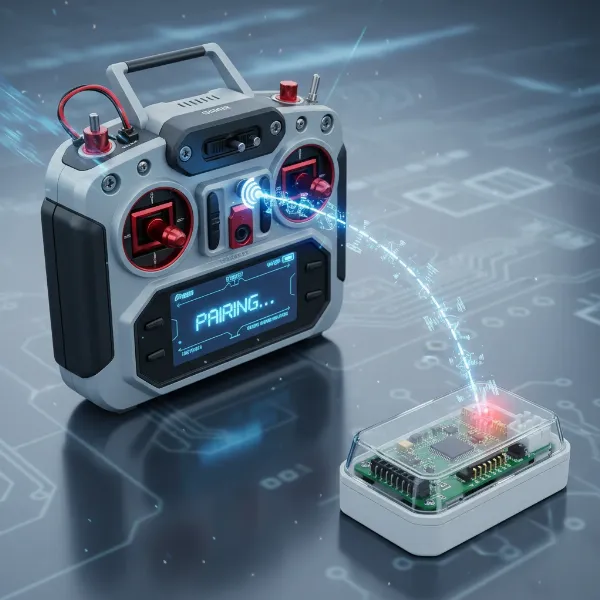 Illustration of an RC transmitter and receiver in the binding process, showing a flashing light and connection symbol
Common Binding Variations Across RC Brands
While the core principle of binding remains consistent, different RC manufacturers and systems often have their own unique methods or specific steps. Understanding these variations can save you time and frustration.
Some receivers feature a small physical bind button directly on the unit, eliminating the need for a separate bind plug. Instead, you simply press and hold this button while powering on the receiver to put it into bind mode. Conversely, many modern, more sophisticated transmitters, such as those from Spektrum or RadioMaster, utilize advanced menu systems. Rather than a dedicated physical button, you’ll navigate through the transmitter’s display to a “System” or “Bind” menu option to initiate the binding sequence.
Another variation, particularly common with specific long-range systems like ELRS (ExpressLRS), involves a power cycling method for the receiver. This technique requires you to rapidly power the receiver on and off three times in quick succession. After the third power-up, the receiver will typically enter bind mode, indicated by a unique LED flash pattern.
It’s also important to remember that various brands, including DJI, Futaba, Spektrum, FrSky, and others, utilize their own proprietary communication protocols. While the general concept of binding is universal, the exact timing, LED indications, and specific button presses can differ. Always consulting the user manual for your particular transmitter and receiver combination is the most reliable approach to ensure a successful bind.
Troubleshooting Common Binding Issues
Even with careful execution, you might occasionally encounter problems when trying to bind your RC system. Don’t worry, many issues are easily resolved with a bit of systematic troubleshooting.
The most frequent problem is no LED activity or incorrect LED behavior on the receiver. If the receiver’s light doesn’t flash when powered, first check your battery connections and ensure the battery is charged. A faulty bind plug or incorrect port selection can also prevent the receiver from entering bind mode. Similarly, if your transmitter isn’t entering bind mode, double-check that you’re correctly pressing the bind button or navigating the menu as per your manual. Sometimes, simply holding the button for too short or too long a duration can be the culprit.
Environmental interference can also disrupt the binding signal. Try performing the binding process in a different location, away from Wi-Fi routers, microwaves, or other sources of 2.4 GHz radio signals. While rare, attempting to bind when the transmitter and receiver are either too far apart or too close (literally touching) can sometimes cause issues; maintain a distance of about 1-2 feet. Finally, ensure there isn’t a firmware mismatch between your transmitter and receiver. Outdated or incompatible firmware versions can prevent a successful link, so check the manufacturer’s website for the latest updates. If all else fails, a careful inspection for physical damage to wires or connectors might reveal the problem.
“A common mistake during binding is forgetting to remove the bind plug after the process is complete. This can lead to unexpected control issues on subsequent power-ups.” – Alex Chen, RC Systems Engineer
Expert Tips for a Smooth Binding Experience
Achieving a successful bind every time comes down to a combination of careful preparation and attention to detail. Here are some expert tips to help you:
- Always Consult Your Manual: This cannot be stressed enough. Each RC system has its nuances, and the manufacturer’s manual is the definitive guide for your specific model.
- Interference-Free Environment: Perform binding in a quiet area, away from other electronics that emit radio frequencies.
- Double-Check All Connections: Ensure all wires are securely plugged into the correct ports on both the receiver and the model’s power source.
- Start with Fresh Batteries: Fully charged batteries on both ends minimize potential issues due to low power.
- Don’t Rush: Take your time with each step. Rushing can lead to missed details.
- Update Firmware Regularly: Keep your transmitter and receiver firmware up to date. Manufacturers often release updates that improve performance and resolve compatibility issues.
- Label Your Models: If you have multiple RC models, label your receivers and corresponding transmitter model profiles to avoid confusion.
Conclusion
Binding your transmitter to a receiver is a fundamental skill for any RC enthusiast, transforming disconnected components into a cohesive, controllable system. By understanding what binding entails, why it’s so important for safety and reliability, and following the correct step-by-step procedures, you empower yourself with the knowledge to establish a perfect connection every time. Whether you’re setting up a new drone or troubleshooting an RC car, mastering the bind process ensures that your commands translate seamlessly to your model, providing you with precise control and an exhilarating experience.
With a little practice and patience, you’ll find that binding becomes second nature, allowing you to focus on the joy of flight or the thrill of the race. What was your most challenging binding experience, and how did you overcome it?
Frequently Asked Questions
Why do I need to bind my RC transmitter and receiver?
Binding creates a unique, secure radio link between your transmitter and receiver. This ensures reliable control over your RC model and prevents interference from other radio signals, which is crucial for safe and predictable operation.
What is a bind plug and when do I use it?
A bind plug is a small jumper that you insert into a designated port on your receiver. Its purpose is to signal the receiver to enter binding mode, allowing it to search for and pair with your transmitter’s signal during the binding process.
What does a flashing light on my receiver mean during binding?
During binding, a flashing light on your receiver typically indicates that it is in bind mode and actively searching for a transmitter to pair with. A change to a solid light usually confirms that a successful binding connection has been established.
Can I bind multiple receivers to one transmitter?
Yes, many modern RC systems allow you to bind multiple receivers to a single transmitter, often by creating and saving separate model profiles within your transmitter. This enables you to control different models with the same radio.
My transmitter won’t bind. What should I do?
If your transmitter won’t bind, first re-check all steps in your user manual. Ensure both batteries are fully charged, connections are secure, and you’re using the correct bind plug/button. Try a different location to rule out environmental interference.